
Struggling with email deliverability? If your emails are landing in spam or not reaching inboxes, you’re losing out on potential engagement and ROI. Here’s how to fix it fast:
- Set Up SPF, DKIM, and DMARC: Authenticate your emails to prove they’re legitimate and avoid being flagged as spam.
- Maintain Your Sender Reputation: Keep your bounce rates low and engagement high to build trust with ISPs.
- Warm Up New IPs: Gradually increase sending volumes to avoid triggering spam filters.
- Clean Your Email List: Regularly remove inactive or invalid addresses to reduce bounces and spam complaints.
- Write Better Email Content: Avoid spammy words, use clear subject lines, and balance text with images.
- Use Personalization and Segmentation: Send targeted, relevant emails to improve engagement and deliverability.
- Track Deliverability Metrics: Monitor delivery rates, spam complaints, and engagement to identify and fix issues early.
Quick Tip: Tools like MailMonitor can simplify tracking, authentication setup, and list management to improve deliverability.
How to Fix Emails Going to Spam FAST (Full Tutorial 2025)
Set Up Email Authentication with SPF, DKIM, and DMARC
Email authentication is like showing your ID to email providers – it proves you’re legit. Without it, providers can’t confirm your identity, which means your emails could land in spam folders or get blocked entirely. Setting up SPF, DKIM, and DMARC is essential to prove your emails are genuine, and doing so can improve your delivery rates by 5% to 10%. Here’s how these protocols work together to secure your email communications.
What SPF, DKIM, and DMARC Do
Each of these protocols plays a unique role in verifying email authenticity:
- SPF (Sender Policy Framework): This protocol checks if an email is sent from an authorized server. By adding an SPF record to your DNS, you let email providers know which servers can send emails on behalf of your domain.
- DKIM (DomainKeys Identified Mail): DKIM ensures the integrity of your emails using digital signatures. It adds an encrypted signature to your emails, which receiving servers verify using a public key stored in your DNS records. If the email is altered during transit, the signature won’t match, flagging it as suspicious.
- DMARC (Domain-based Message Authentication, Reporting, and Conformance): DMARC decides what happens if SPF or DKIM checks fail. According to Cloudflare:
"DMARC tells mail servers what to do when DKIM or SPF fail, whether that is marking the failing emails as ‘spam,’ delivering the emails anyway, or dropping the emails altogether."
DMARC offers three policies: none (monitor only), quarantine (send suspicious emails to spam), or reject (block suspicious emails). Starting with a "none" policy lets you gather reports and adjust your setup before enforcing stricter rules.
Why does this matter? The FBI reports that Business Email Compromise (BEC) scams have racked up $50 billion in losses. Proper authentication protects your brand and your recipients. Even domains that don’t send emails should set up DMARC records to stop spammers from impersonating them.
How MailMonitor Simplifies Authentication
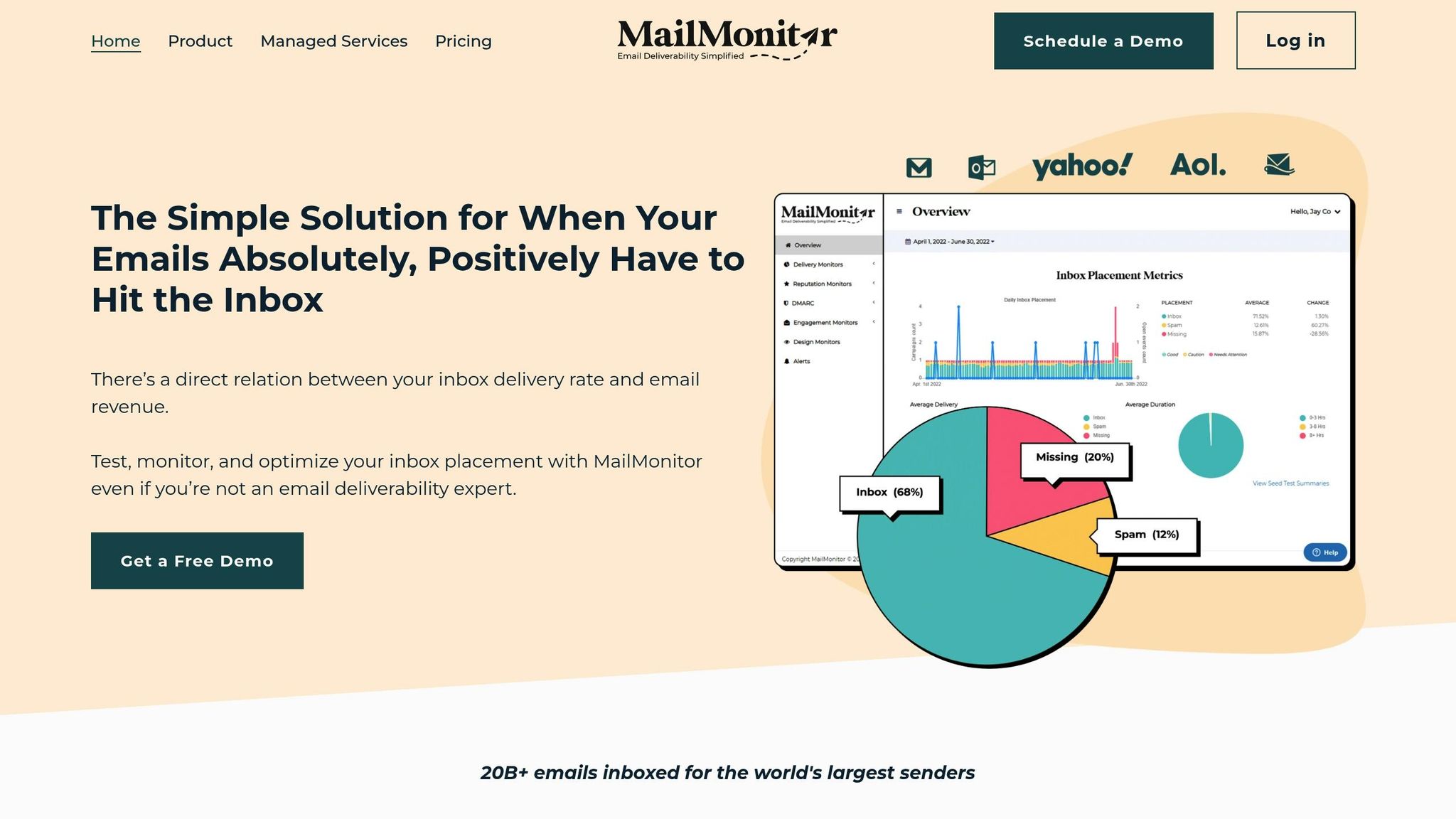
Setting up email authentication can feel overwhelming, with all the technical steps and DNS configurations. That’s where MailMonitor steps in. It simplifies the process by generating DNS records, guiding you through setup, and continuously monitoring your authentication performance.
MailMonitor also alerts you to potential issues, like expired DKIM keys or missing SPF sources. This is critical because problems can sneak up on you – maybe a new marketing tool starts sending emails without being added to your SPF record, or a DKIM key quietly expires. With MailMonitor, you can catch and fix issues before they impact your email deliverability.
SPF, DKIM, and DMARC: Benefits and Drawbacks
Each protocol has its strengths and limitations:
| Protocol | Benefits | Drawbacks |
|---|---|---|
| SPF | Simple to set up; prevents domain spoofing; widely supported | Limited to 10 DNS lookups; breaks with email forwarding; doesn’t protect content |
| DKIM | Protects email content; works with email forwarding; adds cryptographic security | Complex setup; requires key management; signatures can fail if emails are modified |
| DMARC | Offers policy control and detailed reporting; builds on SPF and DKIM | Needs SPF and DKIM to work; misconfigurations can block legitimate emails; managing policies can be tricky |
Interestingly, while 75% to 80% of domains with DMARC records struggle to fully enforce them, those that do see a 5% to 10% boost in delivery rates.
The best approach? Start with SPF, then add DKIM, and finally implement DMARC with a "none" policy. Use the reports to fine-tune your setup before moving to stricter enforcement. Since ISPs factor your domain’s reputation into inbox placement, getting your DMARC setup right is a direct investment in better email deliverability.
Build and Maintain Your Sender Reputation
Your sender reputation works like a credit score for your email campaigns – it determines whether your emails land in inboxes or get flagged as spam. This reputation is shaped by your sending habits and how recipients interact with your emails. Since a staggering 45% of global email traffic is classified as spam, maintaining a solid sender reputation is critical. It hinges on measurable engagement and technical accuracy, which we’ll dive into further below.
ISPs (Internet Service Providers) judge your reputation based on engagement metrics like opens, clicks, and replies, as well as bounce rates and spam complaints. For example, both Gmail and Yahoo expect spam complaint rates to stay below 0.3%, and anything over 0.1% could raise red flags. Domain reputation has also taken center stage, particularly for B2B communications. These days, a strong domain history and proper email authentication matter more than the specific IP address you’re using. A poor sender reputation doesn’t just hurt your inbox placement – it can erode trust and even get your domain blacklisted.
IP Warming and Consistent Sending
Once you’ve built a strong reputation, managing your sending volumes carefully is just as important. If you’re starting with a new IP address or ramping up your email volume, you need to implement IP warming. This process involves gradually increasing the number of emails you send over time, which helps establish trust with ISPs. Jumping straight into high-volume sends can make ISPs suspicious of your activity.
Rob Pellow, digital experience director at Armadillo, highlights the importance of this approach:
"An IP reputation is hard to build and easy to lose. Send your best emails from the start and monitor post-send performance to quickly address issues."
A smart way to warm up your IP is to focus on your most engaged users first. This creates positive engagement signals right out of the gate. Here’s an example of a step-by-step warm-up plan:
| Week | Daily Volume | Weekly Total | Target Audience |
|---|---|---|---|
| Week 1 | 250 emails | 750 emails | Existing subscribers only |
| Week 2 | 500 emails | 1,500 emails | Existing subscribers + most active users |
| Week 3 | 1,000 emails | 3,000 emails | Existing subscribers + all customers |
| Week 4 | 2,000 emails | 6,000 emails | Subscribers + customers + new signups |
Consistency is just as important as volume. ISPs prefer steady, predictable activity over irregular spikes. By planning your campaigns to send emails at a consistent pace, you can build trust over time. Considering that 43% of recipients mark emails as spam, structuring your warm-up strategy from the beginning is essential for safeguarding your sender reputation.
Track Your Reputation with MailMonitor
MailMonitor makes it easy to keep tabs on your sender reputation by gathering insights from multiple sources before deliverability issues arise. It pulls metrics from tools like Microsoft’s Smart Network Data Services (SNDS) to give you a clear picture of how ISPs perceive your email practices.
With MailMonitor, you can automatically track your reputation daily, keeping an eye on factors like spam traps, blacklists, and technical issues such as DNS errors or authentication failures that could damage your sender score. The platform also simplifies IP warming by monitoring key metrics like open rates, click-through rates, bounce rates, and spam complaints. With real-time feedback from major email providers, MailMonitor ensures you can tackle problems quickly and maintain reliable inbox placement.
Clean Your Email List Regularly
Keeping your email list clean isn’t just a good habit – it’s essential for maintaining strong deliverability. By removing invalid or inactive addresses, you can improve performance and protect your sender reputation. Neglecting this can lead to higher bounce rates and spam complaints, both of which harm your email campaigns.
Here’s why it matters: bounce rates should stay below 0.5%, and spam complaints above 0.1% can signal trouble. Plus, if your open rates dip below 15%, it could negatively impact your reputation. Subscriber lists naturally shrink by about 22% each year due to attrition, yet 38.7% of senders rarely or never clean their lists.
"Email list hygiene is like normal hygiene – it should be a regular part of your routine." – Jesse Sumrak, Twilio
By regularly maintaining your list, you’ll see better engagement, improved reputation, and higher deliverability. Internet service providers (ISPs) prioritize senders who have strong recipient interactions, so even a smaller, highly engaged list will outperform a large, inactive one. Here’s how to keep your list in top shape.
Email List Cleaning Best Practices
Cleaning your email list isn’t just about deleting bounced addresses – it requires a thoughtful approach. Start by setting clear guidelines for identifying inactive subscribers, typically those who haven’t opened or clicked in 90–180 days. Remove hard bounces immediately. Before removing unengaged contacts, consider running a re-engagement campaign to win back those who might still be interested.
It’s also a good idea to remove role-based accounts like @support or @info, as these rarely engage. Implement a sunset policy to phase out inactive subscribers over 6–12 months, depending on how often you send emails.
Prevention plays a big role too. Use double opt-in for new subscribers to ensure they genuinely want your emails. While this might reduce the number of initial signups, it significantly boosts the quality of your list. Additionally, make your unsubscribe link easy to find – hiding it only increases the likelihood of spam complaints.
By combining these practices, you’ll maintain a healthier list and better engagement over time.
Use MailMonitor for List Management
MailMonitor offers tools that simplify email list cleaning, helping you maintain a high-quality subscriber base without the hassle of manual upkeep. Its Email Verification and List Optimization features proactively identify problematic addresses, saving you from the headaches of bounces and spam complaints.
The Email Verification tool scans your list for invalid, risky, or spam-prone addresses before you send campaigns. This goes beyond simple syntax checks – it ensures that each address is active and capable of receiving emails.
MailMonitor’s List Optimization service takes it a step further. It analyzes subscriber engagement patterns, allowing you to segment your audience based on activity. This makes it easy to run targeted re-engagement campaigns while avoiding sends to completely inactive contacts, which helps protect your reputation.
The platform also provides real-time monitoring, showing how your list health impacts deliverability metrics. You can track improvements in inbox placement rates and see the tangible benefits of maintaining a clean list.
While cleaning your email list every six months is a common recommendation, MailMonitor’s tools adapt to your specific needs. By analyzing your engagement data and list growth, it helps you decide when more frequent cleaning is necessary. This tailored approach ensures your list stays in peak condition year-round.
sbb-itb-eece389
Write Better Email Content
Crafting effective email content does more than just dodge spam filters – it strengthens your overall email strategy and improves inbox placement. The content of your email plays a key role in determining whether it lands in the inbox or gets redirected to spam. For instance, subject lines alone account for about 40% of the decision-making process used by spam filters to determine placement. Clearly, they’re one of the most powerful tools for ensuring your emails are seen.
Think about this: the average professional receives 126 emails a day but opens fewer than 25% of them. On top of that, major providers like Gmail and Yahoo expect senders of more than 5,000 daily emails to maintain spam complaint rates below 0.3%. Well-crafted content encourages recipients to engage – opening, clicking, and interacting with your emails – which sends positive signals to Internet Service Providers (ISPs) and improves your sender reputation over time.
Content Tips for Better Deliverability
A winning email starts with a strong subject line. Keep subject lines between 6–10 words or under 50 characters to ensure they display properly on all devices. Clear and straightforward subject lines consistently perform better than ambiguous or overly clever ones.
Here are a few tips to make your subject lines work harder:
- Avoid using all caps or spammy trigger words like "FREE" or "URGENT."
- Use action-driven terms like "discover" or "boost".
- Limit punctuation to no more than three marks per subject line.
- If you include emojis, stick to one per subject line to complement your message.
The body of your email deserves just as much attention. Research shows that 16.9% of marketing emails fail to reach the inbox due to content issues. To avoid this:
- Steer clear of excessive links, broken HTML, and inconsistent font sizes.
- Use links instead of attachments, as attachments can trigger spam filters.
- Focus on writing concise, high-quality content. Poor grammar and typos not only turn readers off but can signal low quality to spam filters.
- Maintain a balanced image-to-text ratio since too many images can flag your email as spam.
Finally, ensure your subject line aligns with the body content. Consistency builds trust, and tailored messages further enhance deliverability.
Use Personalization and Segmentation
Beyond crafting great content, personalization and segmentation can take your email performance to the next level. Instead of sending generic email blasts, these strategies allow you to deliver messages that feel relevant and engaging. Companies that achieve high returns from email marketing – ranging from $36 to $50 for every $1 spent – often dedicate significant resources to email and segmentation efforts. In fact, segmented campaigns can drive a staggering 720% increase in revenue.
Here’s how it works:
- Segmentation involves grouping recipients based on shared characteristics like purchase history, engagement levels, or demographics.
- Personalization tailors messages to individual recipients using specific data points, such as their name, preferences, or past behaviors.
The results speak for themselves. Seventy-four percent of marketers report that targeted personalization boosts customer engagement, while personalized experiences can increase sales by an average of 20%.
When you send relevant content to well-targeted segments, you generate positive engagement signals – higher open rates, better click-through rates, and fewer spam complaints – all of which contribute to better inbox placement.
For example:
- In 2024, Kate Spade used email engagement data to segment customers by interests (e.g., handbags vs. jewelry) and personalized emails with automated product recommendations. This strategy led to a 50% increase in conversion rates, a 36% rise in click-through rates, and a 174% jump in revenue.
- Puma took personalization a step further by promoting customized jerseys featuring customers’ last names. This clever use of CRM data resulted in a 360% increase in click-through rates and a 35% boost in average order value.
Start small by adding basic personalization, such as including the recipient’s name, and gradually incorporate more advanced strategies based on behavior and preferences. But don’t overdo it – personalization should enhance relevance, not feel forced.
"Research has shown that emails that are personalized with just the first name and it’s not continued into the body of the email are actually as likely to hurt email performance as it is to help it. People have seen this trick."
- Chad S. White, Head of Research at Oracle
Personalization Methods Compared
Different approaches to personalization come with varying levels of impact and complexity. Here’s a breakdown to help you decide which methods suit your goals:
| Personalization Method | Deliverability Impact | Engagement Boost | Ease of Implementation | Best Use Case |
|---|---|---|---|---|
| Name-only personalization | Low | Minimal | Easy | Basic campaigns, new senders |
| Behavioral segmentation | High | 50–174% revenue increase | Medium | E-commerce, repeat customers |
| Dynamic content blocks | High | 53% higher CTR | Medium | Product recommendations, content feeds |
| Predictive personalization | Very High | 360% CTR increase | Hard | Advanced campaigns, rich data sets |
| Send time optimization | Medium | 20–30% open rate lift | Easy | All campaign types |
| Geographic targeting | Medium | Variable | Easy | Local businesses, events |
Combining multiple methods often yields the best results. For example, Lauren Jean, an email specialist, included live polls in client emails and saw a 53% higher click-through rate compared to emails without polls. The insights from these polls were then used to further refine segmentation and personalization, creating a feedback loop of continuous improvement.
It’s worth noting that 90% of top marketers agree that personalization drives profitability. However, success hinges on clean data and clear objectives. Always be transparent about how you collect and use data, and ensure you have explicit consent to build trust and stay compliant with regulations. Personalization, when done right, enhances engagement and safeguards your sender reputation.
Track Email Deliverability Performance
Tracking email performance isn’t just about open rates; it’s about ensuring your emails consistently reach inboxes and maintaining the overall health of your email campaigns. With 20% of opt-in emails landing in spam or junk folders, consistent monitoring is crucial to catch and address issues early.
By keeping a close eye on trends, you can identify potential problems before they escalate. For example, a sudden rise in bounce rates or a drop in engagement might point to issues with authentication, poor list quality, or content triggering spam filters. Analyzing these patterns and making timely adjustments can lead to long-term improvements.
It’s important to understand the distinction between delivery and deliverability. Delivery confirms that emails were received by servers, while deliverability ensures they bypass spam filters and reach inboxes. By focusing on deliverability, you can ensure your emails are seen by their intended recipients. Below are key metrics to monitor for maintaining strong inbox placement.
Important Metrics to Watch
Knowing which metrics to prioritize can make a huge difference in the success of your email campaigns. Each metric offers unique insights into your email program’s performance and highlights areas that might need attention.
- Delivery Rate: Aim for over 95%. A deliverability rate of 98–99% is ideal, but anything below 70% signals serious issues.
- Bounce Rates: Keep bounce rates under 2%. Hard bounces (invalid addresses) should be removed immediately, while soft bounces (temporary issues) may require further investigation.
- Spam Complaint Rates: Complaints should stay below 0.08%. Rates exceeding 0.1% need immediate action.
- Engagement Metrics: Open rates should fall between 20–30%, with click rates around 5% (anything above 8% is excellent).
- Unsubscribe Rates: A rate of about 0.2% is ideal. Higher rates might suggest issues with content relevance or audience targeting.
Here’s a quick table summarizing these metrics:
| Metric | Ideal Range | Concerns | Action Needed |
|---|---|---|---|
| Delivery Rate | Above 95% | 90–95% | Below 90% |
| Spam Complaints | Under 0.08% | 0.08–0.1% | Above 0.1% |
| Bounce Rate | Under 2% | 2–5% | Above 5% |
| Open Rate | 20–30% | 10–20% | Below 10% |
| Click Rate | 5–8% | 2–5% | Below 2% |
| Unsubscribe Rate | Around 0.2% | 0.2–0.5% | Above 0.5% |
With one in six emails failing to reach inboxes, even small improvements in these metrics can significantly impact your results. The key is to monitor trends over time to identify recurring issues rather than isolated incidents.
Monitor Performance with MailMonitor
MailMonitor offers a comprehensive solution for tracking and improving email deliverability. It provides detailed insights into how your emails perform across various mailbox providers, helping you identify and resolve deliverability issues.
One of MailMonitor’s standout features is its global network of over 400 seed accounts across 60 ISPs. This allows you to test how your emails are handled – whether they land in the primary inbox, promotions tab, or spam folder. By sending campaigns to MailMonitor’s seed list, you gain real-world insights into how different providers treat your emails.
With over 3 billion emails analyzed, MailMonitor has developed deep expertise across industries and ISPs. This knowledge translates into actionable recommendations tailored to your specific sending patterns and audience. Beyond inbox placement testing, the platform also monitors email infrastructure and sender reputation, alerting you to potential problems like email throttling or authentication issues. It even tracks DMARC compliance with SPF and DKIM alignment, ensuring your emails remain properly authenticated as your campaigns scale.
MailMonitor also ties deliverability performance to engagement metrics, helping you see how inbox placement affects user interaction. For example, open-tracking data can show whether improved delivery translates into better engagement.
Here’s what users have to say about MailMonitor:
"For us, it’s the ease of use. We set it up and now our process is streamlined to get the data we need for each campaign. It’s straightforward, and for the cost, its value is easily justifiable and essential to our marketing team." – Aluna C., Director of Marketing, E-Learning
"Has everything you need to monitor your program at a fraction of the price of the big guys. Never using anyone else again." – Ryan B., Sr Manager CRM, Financial Services
MailMonitor simplifies deliverability monitoring by consolidating all key features – such as inbox placement testing, reputation tracking, and authentication monitoring – into one platform. With its intuitive setup and actionable insights, it helps you identify patterns and issues that might go unnoticed with other tools. Its 5.0/5 rating on Capterra, based on 16 reviews, reflects consistent user satisfaction.
Take Action on Email Deliverability
Getting your emails into inboxes instead of spam folders requires a mix of technical know-how, ongoing maintenance, and smart monitoring. With 45.6% of emails ending up in spam folders in 2023, it’s clear that taking immediate steps across all fronts is essential.
Start by strengthening your technical setup with key authentication protocols like SPF, DKIM, and DMARC. These tools verify that your emails are genuinely coming from your domain, helping you build trust with mailbox providers and improving your chances of landing in the inbox instead of the spam folder.
Think of your sender reputation like a credit score – it’s crucial but fragile. As Ashley Rodriguez, Deliverability Engineer II at Sinch Mailgun, puts it:
"We often compare email sender reputation to credit scores. In both cases, one costly mistake can easily damage your credit score or your sender reputation, but they take time to build back up. That’s why you need to take steps to maintain a good reputation with mailbox providers."
To maintain a strong reputation, focus on consistent sending, warm up new IPs gradually, and aim for genuine subscriber engagement.
Another key step is keeping your email list clean. Remove inactive subscribers, use double opt-in to confirm interest, and steer clear of spam traps to minimize bounce rates and complaints. This approach pays off – Shopify sellers using email deliverability tools have seen a 17% higher conversion rate and 40% lower bounce rate compared to those who don’t.
Creating content that resonates with your audience is just as important. Avoid spammy language and focus on delivering value. Carin Slater, Manager of Lifecycle Email Marketing at Litmus, highlights the importance of putting subscribers first:
"Everyone wants to send an email, but you have to ask why. Why would a subscriber be excited to get this email in their inbox? Do they care about this? Are we sending it because we want to send something, or because people want to read it? It has to be the latter."
When your content aligns with what subscribers actually want, your technical efforts will translate into real engagement.
Once your emails are engaging, keep a close eye on your metrics to ensure everything’s working as it should. Regularly check for issues that might prevent inbox delivery – after all, 70% of emails have at least one spam-related problem. Key metrics to track include delivery rates (aim for above 95%), bounce rates (stay under 2%), and spam complaints (keep them below 0.08%).
Tools like MailMonitor can simplify this process by providing actionable insights and real-world performance testing across various ISPs. This visibility helps you fine-tune your email strategy and catch problems early.
The effort is worth it. Email marketing offers an impressive return, with $42 earned for every $1 spent on targeted campaigns. Plus, with 75% of consumers preferring email for business communication, ensuring your messages consistently reach inboxes is crucial for building strong connections with your audience.
To maximize deliverability, take a systematic approach: set up authentication protocols, clean up your email list, monitor performance, and refine both your content and sender reputation. By combining these strategies and leveraging tools like MailMonitor, you’ll not only get your emails into inboxes but also drive meaningful results and ROI. Regular upkeep ensures your email campaigns remain effective and impactful.
FAQs
How do SPF, DKIM, and DMARC work together to improve email deliverability?
SPF, DKIM, and DMARC work together to authenticate your emails and guard against spam or spoofing. Here’s how they function:
- SPF (Sender Policy Framework): This protocol identifies which servers are allowed to send emails on your domain’s behalf.
- DKIM (DomainKeys Identified Mail): It attaches a digital signature to your emails, confirming they haven’t been altered during transit.
- DMARC (Domain-based Message Authentication, Reporting, and Conformance): It integrates SPF and DKIM, instructing recipient servers on how to handle messages that fail these checks.
When these protocols are properly configured, they boost confidence in your emails, lower the risk of being marked as spam, and improve the likelihood of your messages reaching the intended inbox.
How can I properly warm up a new IP address to avoid being flagged as spam?
To make sure your emails reach inboxes instead of spam folders, take a gradual approach to increasing your email sending volume. Over a span of 4 to 8 weeks, begin with smaller batches, targeting your most engaged recipients first. Slowly scale up as your sender reputation strengthens.
Keep a close eye on metrics like open rates, click-through rates, and spam complaints during this period. Using a clean email list and keeping engagement levels high will build trust with email providers and reduce the chances of your messages being marked as spam.
How do personalization and segmentation improve email engagement and deliverability?
The Power of Personalization and Segmentation in Email Campaigns
Personalization and segmentation are game-changers when it comes to email marketing. They make your campaigns feel more relevant to your audience, which not only grabs their attention but also encourages them to engage. By crafting content tailored to specific groups – based on their behaviors, preferences, or past interactions – you can see noticeable improvements in open rates, click-through rates, and overall engagement.
When an email feels like it’s written just for them, recipients are far more likely to respond positively. This kind of interaction builds trust and minimizes the likelihood of spam complaints. And here’s the bonus: email providers notice this engagement. When your messages are consistently opened and clicked, it signals that your content is valuable, boosting your sender reputation and helping your emails land in inboxes instead of spam folders.

