
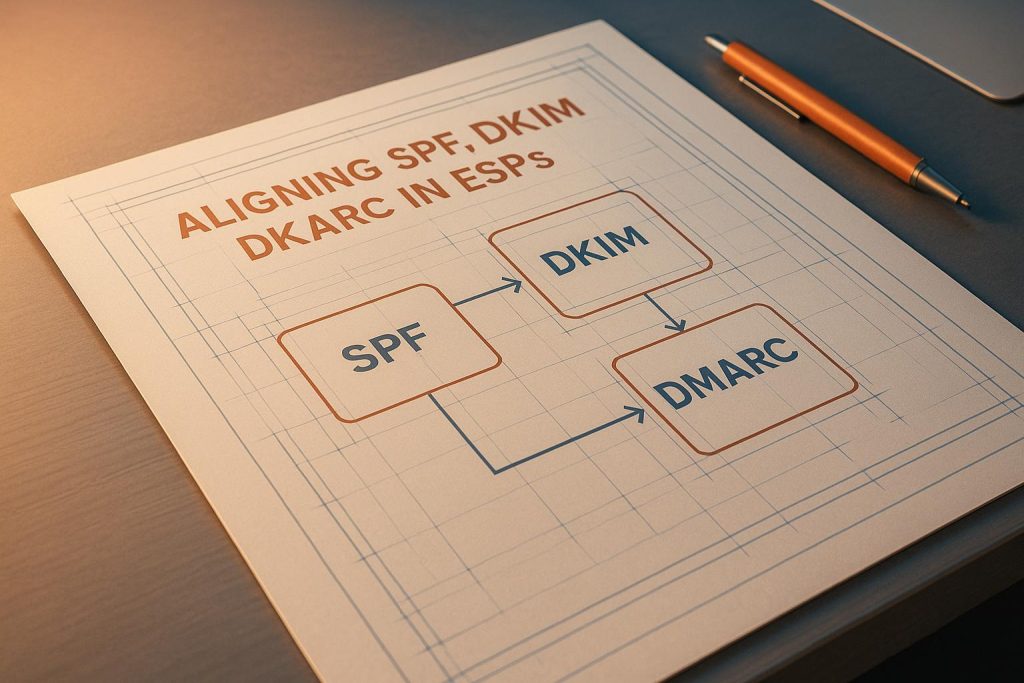
Email authentication is the backbone of protecting your domain and ensuring your emails reach the inbox. SPF, DKIM, and DMARC are the three key protocols that work together to verify the sender’s identity, prevent spoofing, and improve email deliverability. Here’s what you need to know:
- SPF (Sender Policy Framework): Verifies if emails are sent from authorized servers listed in your DNS records.
- DKIM (DomainKeys Identified Mail): Adds a cryptographic signature to ensure email content hasn’t been altered and confirms the sender’s domain.
- DMARC (Domain-based Message Authentication, Reporting, and Conformance): Aligns SPF and DKIM with the visible "From" address and provides instructions on handling unauthenticated emails.
Why alignment matters: Without proper alignment, emails may fail authentication, increasing the risk of spoofing attacks and deliverability issues. For example, in 2024, a retail company using Mailgun improved inbox placement by 15% after fixing DKIM alignment.
Common issues with ESPs: Misconfigured SPF, mismatched DKIM signatures, and overly strict DMARC policies often cause alignment failures. Many ESPs use default settings that can disrupt alignment, but custom configurations can resolve these issues.
How to fix alignment:
- SPF: Add the ESP’s sending IPs to your DNS and configure a custom Return-Path domain.
- DKIM: Ensure the DKIM signature domain matches your "From" address by using custom DKIM keys.
- DMARC: Start with a monitoring policy (
p=none) and gradually enforce stricter policies (p=quarantineorp=reject) after resolving alignment issues.
Pro tip: Use tools like MailMonitor to test deliverability, monitor alignment, and analyze DMARC reports for actionable insights.
Properly aligning SPF, DKIM, and DMARC strengthens email security, improves sender reputation, and ensures your emails land where they belong – your recipient’s inbox.
SPF & DKIM Alignment: A Crucial Step in Email Authentication (2024) | EasyDMARC
How SPF, DKIM, and DMARC Alignment Works
For proper email authentication, SPF, DKIM, and DMARC need to work together seamlessly. DMARC ensures that the domains used in SPF and DKIM align with the visible "From" address. Let’s break down how each protocol achieves this alignment.
SPF Alignment: Return-Path and Mail From
SPF alignment checks whether the Return-Path (also known as the envelope sender) domain matches the visible "From" address. This is crucial for handling bounces correctly. To pass SPF alignment, the domain in the Return-Path must either match exactly or belong to the same organizational domain as the "From" address.
Here’s a common issue: many email service providers (ESPs) automatically use their own domain for the Return-Path to manage bounces more efficiently. While this simplifies bounce handling, it can cause SPF alignment to fail. To avoid this, configure a custom Return-Path domain that aligns with your "From" address. For example, you could use something like bounce.yourcompany.com. This ensures proper SPF alignment and sets the groundwork for configuring DKIM.
DKIM Alignment: d= Signature Domain
DKIM alignment focuses on the d= tag in the DKIM signature. This tag must match the visible "From" domain. For example, if your email is sent from [email protected], the d= value should be yourcompany.com or a related subdomain like mail.yourcompany.com.
Problems arise when ESPs sign emails using their own domain instead of yours. To fix this, make sure your ESP signs emails with your domain. This typically involves generating DKIM keys for your domain and publishing the associated public key in your DNS records. By doing so, you ensure proper DKIM alignment.
DMARC Alignment: Strict vs. Relaxed Modes
Once SPF and DKIM are set up, DMARC enforces alignment through one of two modes:
- Strict Mode: Requires an exact match between domains.
- Relaxed Mode: Allows subdomains to align with their parent domain.
You can specify these settings in your DMARC record using the aspf (for SPF) and adkim (for DKIM) tags, choosing either strict (s) or relaxed (r) alignment. Most organizations opt for relaxed alignment because it works better with complex email systems.
For example, a 2023 study found that only 31% of US-based organizations had DMARC records with enforcement policies, and fewer than 20% used strict alignment [6]. However, strict alignment may be more suitable for organizations with simple setups or those in industries like finance and healthcare, where security is a top priority.
The beauty of DMARC is its flexibility. It requires only one of the two protocols – SPF or DKIM – to align for the email to pass. This redundancy is especially useful when issues like email forwarding disrupt SPF, as DKIM can still authenticate the message. This dual-path system improves both the security and deliverability of your emails.
Step-by-Step Guide to Aligning SPF, DKIM, and DMARC in ESPs
Now that you’ve got a handle on how alignment works, let’s dive into the practical steps for setting up SPF, DKIM, and DMARC in your Email Service Provider (ESP). The main goal here is to ensure that these protocols are set to align with your domain rather than your ESP’s domain.
Setting Up SPF Records in ESPs
SPF records let receiving mail servers know which IP addresses are allowed to send emails on behalf of your domain. The tricky part with ESPs is making sure their sending IPs are included while keeping everything aligned properly.
Add a TXT record to your DNS with this structure: v=spf1 include:espdomain.com ~all. The include: mechanism automatically pulls in your ESP’s authorized IPs, so you don’t have to list them manually.
Here’s a quick guide for some common setups:
- Google Workspace: Add
v=spf1 include:_spf.google.com ~allto your DNS. - Microsoft 365: Use
v=spf1 include:spf.protection.outlook.com ~all. - SendGrid: Add
v=spf1 include:sendgrid.net ~all.
Next, configure a custom Return-Path domain in your ESP settings, like bounce.yourdomain.com. This requires adding a CNAME record pointing to your ESP’s bounce handling server. Many ESPs default to using their own domain for this, which breaks SPF alignment. Look for options like "Custom MAIL FROM Domain" or "Bounce Domain" in your ESP settings and adjust accordingly.
Example: In 2022, a U.S.-based retailer using Amazon SES improved their inbox placement rate by 12% over three months. They achieved this by aligning SPF, DKIM, and DMARC, moving from a
p=noneto ap=quarantinepolicy. They used SES’s custom MAIL FROM domain feature, enabled DKIM signing, and monitored results with DMARC reports and a deliverability tool [5].
Once configured, test your SPF record to make sure it’s working. Command-line tools or online SPF checkers can verify that your ESP’s IPs are included and that your Return-Path aligns with your domain.
With SPF alignment in place, you’re ready to tackle DKIM.
Configuring DKIM Keys and Alignment
DKIM relies on cryptographic signatures to verify that your email hasn’t been altered. To align DKIM with your domain, you’ll need to set up keys and ensure the signature uses your domain, not your ESP’s.
Use your ESP’s DKIM setup wizard to generate the keys. Publish the public key as a TXT record in your DNS using this format: selector._domainkey.yourdomain.com, where selector is a unique identifier provided by your ESP.
Make sure the d= parameter in your DKIM signature matches your sending domain. In your ESP’s settings, look for options like "DKIM Domain" or "Signing Domain" and set it to your domain (e.g., yourdomain.com), not a subdomain or the ESP’s domain.
Some ESPs allow you to configure DKIM settings for multiple domains, while others might require separate accounts for each domain. After publishing the DNS record, enable DKIM signing in your ESP. Most platforms have a simple toggle or checkbox to activate this feature. From then on, your ESP will sign outgoing emails with your domain’s DKIM key, ensuring proper alignment.
Creating DMARC Policies for Alignment
Once SPF and DKIM are configured, DMARC ties everything together. DMARC policies tell receiving servers how to handle emails that fail authentication and define how strict the alignment should be.
Add a TXT record to your DNS at _dmarc.yourdomain.com with your DMARC policy. Start with a monitoring setup: v=DMARC1; p=none; rua=mailto:[email protected]; aspf=r; adkim=r. This lets you monitor alignment without affecting email delivery.
- aspf=r: Enables relaxed SPF alignment, allowing subdomains to align with parent domains.
- adkim=r: Enables relaxed DKIM alignment, ideal for most ESP setups.
- rua: Specifies where to send aggregate reports. These reports provide insights into which emails pass or fail authentication, helping you spot alignment issues. Use a dedicated email address for these reports, as they can be quite detailed.
| DMARC Policy | Action | When to Use |
|---|---|---|
| p=none | Monitor only, no action taken | Initial setup and testing phase |
| p=quarantine | Send suspicious emails to spam folder | After fixing alignment issues |
| p=reject | Block unauthenticated emails completely | Full enforcement with confirmed alignment |
Monitor DMARC reports for at least two weeks. Look for any legitimate emails that fail SPF or DKIM alignment. Common causes include forgotten sending services, forwarded emails, or misconfigured subdomains. Once you’ve resolved these issues and confirmed that legitimate emails are authenticated, gradually tighten your policy from p=none to p=quarantine, and eventually to p=reject.
If this process feels overwhelming, tools like MailMonitor can simplify it. They offer inbox placement testing, reputation monitoring, and DMARC report analysis, helping you keep your emails out of spam folders and maintain proper alignment as your email setup grows more complex.
sbb-itb-eece389
Best Practices for Maintaining SPF, DKIM, and DMARC Alignment
Setting up SPF, DKIM, and DMARC is just the first step. Email systems evolve, and without regular upkeep, what works today might fail tomorrow. To ensure long-term success, consistent monitoring and proactive updates are essential.
Regular DNS Record Audits and Updates
Your DNS records need ongoing attention to remain accurate and effective. As a baseline, conduct audits every quarter. However, whenever you change email providers, IP addresses, or make adjustments to your email infrastructure, review your records immediately.
Each audit should include:
- SPF Records: Confirm all legitimate sending IPs are included and remove outdated entries to close security gaps.
- DKIM Selectors: Ensure selectors are current and public keys align with those in use. Expired or mismatched keys are a common issue discovered during audits.
- DMARC Policy Settings: Check that your alignment modes (aspf and adkim) still align with your organization’s needs. Depending on the complexity of your email system, you may need to adjust between strict and relaxed alignment.
Document all changes and maintain a regular review schedule to avoid missteps. Skipping audits can expose you to identifier misbinding attacks, where SPF or DKIM validations pass for domains unrelated to your visible "From" address. Routine maintenance strengthens your defenses against spoofing attempts and ensures your DMARC alignment remains effective. Pair these audits with real-time monitoring to catch issues before they affect email deliverability.
Monitor Deliverability Using Tools Like MailMonitor
While manual audits are critical, they only address problems after they occur. Real-time monitoring tools, such as MailMonitor, act as an early warning system to help maintain smooth email delivery.
MailMonitor tracks your emails across hundreds of real inboxes, providing insights into your authentication status and alignment health. It performs automated checks on your SPF, DKIM, and DMARC configurations, alerting you to issues like expired DKIM keys or improperly authenticated new sending sources. This proactive approach helps you address problems before they impact your email campaigns.
The platform also uses seed list testing to show where your emails are landing – whether in the inbox, spam, or promotions folder – across different ISPs. This level of detail helps pinpoint whether authentication issues are affecting specific providers or your entire email program. MailMonitor even provides actionable recommendations for quick fixes.
For organizations with more intricate email setups, MailMonitor’s managed services offer expert analysis of your authentication configurations. These specialists can identify subtle alignment issues that may not be obvious from DMARC reports alone, helping you improve your email deliverability. Combining automated tools like MailMonitor with regular audits ensures consistent alignment and better inbox placement.
Use DMARC Reports for Continuous Monitoring
DMARC reports are invaluable for maintaining alignment over time. Aggregate reports provide a clear snapshot of how your domain’s email authentication is performing. They show which sources are sending emails on your behalf, how those sources are faring with SPF and DKIM checks, and whether alignment is being achieved[3].
To make the most of these reports:
- Set up a dedicated email address for receiving DMARC reports.
- Review reports weekly to identify trends and unexpected sources.
- Investigate sources that consistently fail alignment, as they may indicate misconfigured email service providers (ESPs) or unauthorized senders.
For deeper insights, forensic reports can help you examine specific suspicious messages when aggregate data falls short. Using both types of reports alongside proper policy enforcement creates a well-rounded DMARC strategy that keeps your domain secure and your emails landing where they should[3].
Troubleshooting Common Alignment Issues
Even with a solid setup, problems with SPF, DKIM, and DMARC alignment can occasionally pop up. These issues are often triggered by updates or changes in your Email Service Provider (ESP). Below, you’ll find practical solutions to tackle some of the most frequent alignment challenges.
Fixing SPF Record Errors
SPF alignment failures usually boil down to three main culprits: hitting the 10-DNS-lookup limit, missing sending IPs, or syntax mistakes. If you exceed the 10-lookup limit, all your emails will fail SPF checks.
To address this, try consolidating or replacing redundant "include:" mechanisms. Instead of relying on multiple "include:" statements, use direct IP addresses with "ip4:" or "ip6:" mechanisms where possible. If you’re juggling multiple ESPs, reach out to each provider to determine the specific IPs they use. You can then add those IPs directly to your SPF record instead of including their entire SPF setup.
For missing sending IPs, check your DMARC aggregate reports. If you notice consistent SPF failures from your ESP’s IPs, double-check that your SPF record includes the correct mechanism for that provider.
Syntax errors are another common issue. These often involve having more than one "all" mechanism or using incorrect qualifiers. Your SPF record should end with a single "all" mechanism, typically "~all" (soft fail) or "-all" (hard fail). Avoid using "+all", as it effectively disables SPF checks by allowing any IP to pass.
In 2023, a SaaS company discovered that their SPF record exceeded the 10-lookup limit after adding several third-party services. By consolidating "include:" statements and removing outdated entries, they resolved the issue and saw a 12% improvement in inbox placement [2].
Once SPF errors are fixed, you can move on to verifying DKIM alignment.
Resolving DKIM Signature Mismatches
DKIM alignment issues arise when your ESP signs emails with its own domain instead of yours. This mismatch between the DKIM signature domain (d= parameter) and your "From" address domain can cause DMARC to fail, even if the DKIM signature itself is valid.
To pinpoint the problem, review your email headers and check the DKIM "d=" parameter. If it shows your ESP’s domain (e.g., d=esp.com) instead of your own (e.g., d=yourdomain.com), you’ve got a signature mismatch.
Most ESPs offer custom DKIM signing, allowing you to align the d= parameter with your domain. This setup typically involves adding DNS records (often CNAME records) provided by the ESP to your domain. These records enable the ESP to sign emails using your domain while managing the private keys securely.
If your current ESP doesn’t support aligned DKIM signing, you may need to switch to one that does or rely on SPF for DMARC compliance.
In 2022, a major U.S. retailer faced a 15% drop in email deliverability after switching to an ESP that signed DKIM with its own domain. By reconfiguring the ESP to use the retailer’s domain in the DKIM signature, they restored their deliverability rates within two weeks [4].
After addressing DKIM alignment, it’s time to tackle DMARC policy issues.
Correcting DMARC Policy Misconfigurations
DMARC policy errors often come down to overly strict alignment settings or incorrect policy actions. A common mistake is using strict alignment (aspf=s, adkim=s) when your email setup includes subdomains or multiple ESPs that can’t meet strict alignment requirements.
Check your DMARC reports for alignment failures involving subdomains or authorized senders. If you notice these issues, consider switching to relaxed alignment modes or creating specific DMARC records for each subdomain.
Another frequent error is setting "p=reject" too early. Start with "p=none" to monitor alignment without blocking emails. Gradually move to "p=quarantine" and finally "p=reject" only after ensuring consistent alignment. Also, confirm that your reporting addresses (rua and ruf) are valid to receive feedback.
Tools like MailMonitor can help you spot and fix these issues before they impact your email deliverability. The platform provides real-time updates on your authentication status and flags potential policy problems.
"MailMonitor helps us identify and fix our spam issues. It’s like having a deliverability expert on our team. The weekly check-in calls allow us to take feedback, implement it, and then follow up the next week with additional items to clarify or get help with. This cadence helps our team get better email results." – Dan Westenskow, CEO, Fusion HCS [1]
For more complex alignment challenges, expert services can make a big difference. MailMonitor’s managed solutions have helped companies like hubXchange save $271,000 by systematically resolving deliverability issues [1].
Conclusion and Key Takeaways
Getting SPF, DKIM, and DMARC alignment right is a cornerstone of email deliverability and security. When organizations implement these protocols correctly, they often see inbox placement rates improve significantly – sometimes by 10% to 30% – compared to setups without proper alignment.
Here’s a quick recap of the essential steps for achieving alignment:
Summary of Key Points
Effective alignment hinges on three main factors: ensuring your Email Service Provider (ESP) signs emails with your domain, setting up SPF records to include all approved sending sources, and creating DMARC policies tailored to your infrastructure’s complexity. If your organization uses multiple subdomains or third-party ESPs, relaxed alignment offers flexibility. On the other hand, strict alignment is better suited for simpler setups where maximum security is the priority.
Keeping DNS records accurate is crucial to avoid common problems, like exceeding the SPF 10-lookup limit or relying on outdated DKIM configurations. Consistency is key – your visible "From" address must match the domains authenticated by SPF and DKIM.
DMARC reports are a goldmine of information. They can uncover unauthorized sending attempts, pinpoint alignment issues, and track your progress over time. Regularly reviewing these reports ensures you can address authentication problems before they affect your deliverability.
Final Thoughts on Monitoring and Optimization
Routine audits and consistent monitoring are essential as your email environment evolves. With changing infrastructure and emerging threats, staying proactive is critical to maintaining top-notch performance.
Tools like MailMonitor simplify this process by offering real-time deliverability analytics across more than 400 inboxes. Its three-step framework – Audit, Remediation, and Optimization – helps ensure your SPF, DKIM, and DMARC alignment stays on track as your email program grows.
"MailMonitor actively tracks and fine-tunes your email health to catch & counter threats before they wreck your campaigns."
– MailMonitor [1]
Regular monitoring doesn’t just boost deliverability; it also strengthens security. By keeping an eye on metrics like DMARC pass/fail rates, SPF and DKIM authentication percentages, and inbox placement rates, you can measure your success and swiftly address any alignment issues. Considering that over 90% of phishing attacks rely on email spoofing, proper alignment is a powerful defense for your brand and your recipients [7].
Strong SPF, DKIM, and DMARC alignment isn’t just about technical precision – it’s about improving deliverability, safeguarding your reputation, and building trust with your audience.
FAQs
Should I use strict or relaxed DMARC alignment for my organization, and how can I decide?
The decision between strict and relaxed DMARC alignment hinges on how your email systems are structured and the level of security you aim to achieve.
With strict alignment, the domain in the ‘From’ address must match exactly with the domain used in SPF and DKIM authentication. This setup offers stronger security but demands precise configuration of your email infrastructure. Relaxed alignment, in contrast, is more lenient, allowing subdomains or slight domain variations, which makes it easier to manage but potentially less secure.
If your organization relies on third-party email services or has a more intricate email routing system, relaxed alignment might be the better fit. However, if you prioritize security and have full control over your email-sending domains, strict alignment is the way to go. To ensure everything runs smoothly, audit your email setup and test deliverability to confirm that your chosen alignment supports your email security and delivery objectives.
Why is it important to regularly review and update my SPF, DKIM, and DMARC settings?
Regular checks and updates to your SPF, DKIM, and DMARC settings are crucial for keeping your emails out of spam folders and ensuring they land where they’re supposed to – your recipients’ inboxes. If these settings are outdated or incorrectly configured, it can hurt your email deliverability. This might disrupt marketing campaigns, delay important communications like password reset emails, and even leave your brand exposed to risks like spoofing or phishing attacks.
By staying on top of these configurations, you safeguard your domain, build trust with your audience, and boost the likelihood of your emails reaching the right people.
How can I use DMARC reports to boost email deliverability and enhance security?
DMARC reports serve as an essential resource for examining your email-sending habits. By diving into these reports, you can spot any unauthorized email activity, verify that SPF and DKIM protocols are properly aligned, and safeguard your domain against spoofing or phishing attacks.
MailMonitor streamlines this process by offering tools to track your sending reputation and catch potential problems early. This proactive approach helps ensure your emails land in inboxes rather than getting stuck in spam or promotions folders. Consistently reviewing and addressing DMARC reports not only boosts deliverability but also strengthens your email security.

