
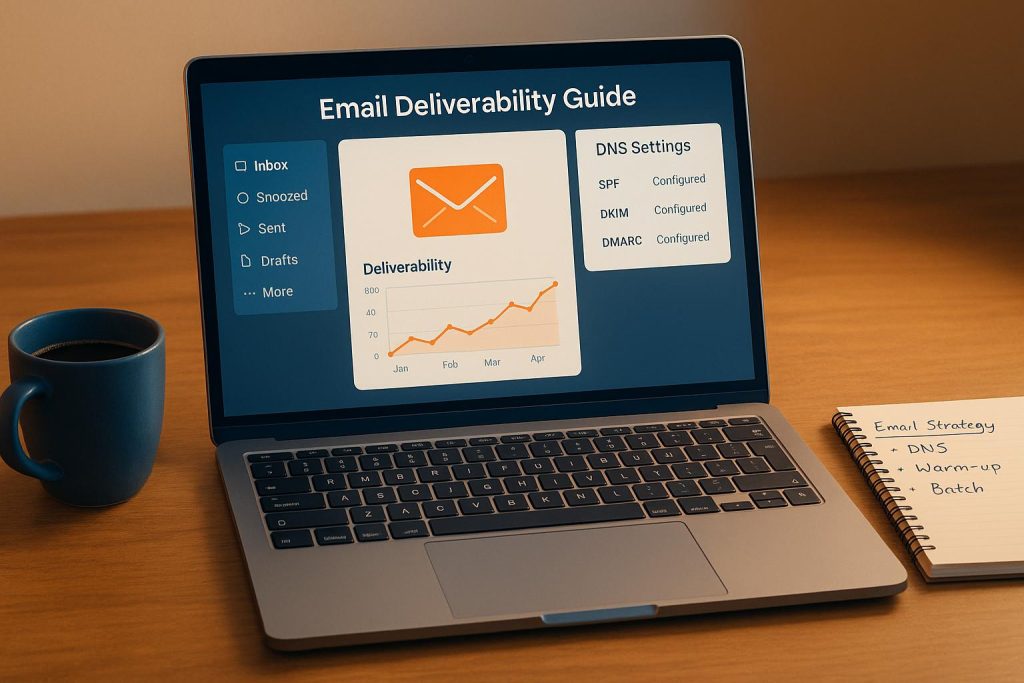
Email marketing is one of the most powerful tools for driving business growth, but it’s only effective if your messages actually reach your audience. Poor email deliverability can reduce the ROI of your campaigns and waste precious time, effort, and resources. In the digital age – where inboxes overflow with messages – ensuring that your emails land in your subscribers’ primary inbox (and not the dreaded spam folder) is more important than ever.
This guide will break down practical strategies to improve email deliverability, including the importance of setting up a dedicated email domain, DNS configuration, warming up your domain, and effective batch sending. Whether you’re an email marketer, business owner, or part of an organization that relies heavily on email campaigns, the insights shared here will help you optimize your email performance.
Why Email Deliverability Matters
Email deliverability is the ability to deliver your emails to your recipients’ inboxes without being flagged as spam or ignored by email service providers (ESPs). It’s not just about hitting "send"; it’s about ensuring your emails arrive where they need to be and are opened by the right audience.
Poor deliverability can stem from technical misconfigurations, low engagement rates, or even sending emails too aggressively. Katherine Ferris, an expert in email marketing systems, emphasizes that without proper deliverability, all your efforts in creating content, strategizing, and even advertising could be wasted.
To combat this, Ferris highlights key deliverability practices centered around:
- Setting up a dedicated email domain
- Properly configuring DNS records
- Gradually warming up your domain
- Strategically batching your email sends
Let’s dive into these strategies step-by-step.
Step 1: Setting Up a Dedicated Email Domain
A dedicated email domain is a critical first step in protecting your sender reputation and improving deliverability. Here’s why it matters.
What is a Dedicated Email Domain?
A dedicated email domain is a subdomain used specifically for marketing emails. For instance, instead of sending newsletters from your primary email (e.g., [email protected]), you might use a subdomain like email.yourbusiness.com or mail.yourbusiness.com. While it’s connected to your main domain, it segregates your transactional or client communications from your marketing campaigns.
Why Is This Important?
Using a dedicated email domain ensures:
- Your primary business email stays protected and avoids being flagged as spam.
- Your marketing emails maintain a separate reputation, reducing the risk of damaging your primary domain’s credibility.
- Email service providers (like Gmail, Outlook, and Yahoo) recognize the domain as legitimate when paired with proper DNS configuration.
How to Set It Up
- Access Your Email Services: Log into your email marketing tool (like Highle or its variations) and navigate to the
Settings>Email Servicessection. - Create a Subdomain: Example formats include
email.yourbusiness.comormail.yourbusiness.com. - Add Records in Your DNS Settings: Your DNS records are like a digital signature that proves your emails are from a trusted source. The platform will prompt you to input records, including:
- TXT Records (for SPF and DKIM authentication)
- CNAME Records (for domain validation)
- MX Records (for message routing)
- DMARC Records (to prevent phishing and spoofing)
If you use a DNS provider like Cloudflare, some systems can automate this process. Otherwise, it’s as simple as copying and pasting the required values into your domain registrar’s DNS settings.
- Verify Records: After entering the DNS records, click "Verify." Once the records are correctly configured, they’ll turn green, indicating successful verification.
Setting up a dedicated email domain and configuring DNS records properly is the foundation of strong deliverability.
Step 2: Warming Up Your Email Domain
Once your dedicated domain is set, you can’t jump straight into sending thousands of emails. Inbox providers are highly sensitive to new domains, and sending large volumes of emails too quickly can raise red flags.
What Is Domain Warm-Up?
Domain warm-up is the process of gradually increasing the volume of emails sent from a new domain. This helps establish a positive sender reputation with email service providers.
Best Practices for Warm-Up
- Start Small: Send emails in small batches of 50 to 100 per day.
- Target Engaged Audiences: Focus on highly engaged recipients who are most likely to open and interact with your emails. For example:
- Subscribers who recently opted in.
- Loyal customers or participants in a private group/event.
- Leverage Existing Data: Export a list of your most engaged contacts from your current email system and re-import them into your new platform. Begin with these recipients as they’re more likely to interact with your emails.
- Avoid Unsubscribes: During the warm-up phase, prioritize content that provides value and ensures high open rates to avoid spam complaints or unsubscribes.
By gradually scaling up your email volume and focusing on engagement, inbox providers will recognize your domain as trustworthy.
Step 3: Ramp-Up and Batch Sending Strategies
After warming up your domain, you can start scaling your email campaigns. However, sending emails in massive quantities all at once can still hurt your reputation. Instead, batching your emails can help maintain email deliverability.
What Is Batch Sending?
Batch sending enables you to send emails in smaller, controlled groups over a specific period. For example, instead of sending all 10,000 emails at once, you can send 100 emails every hour.
How to Batch Emails Effectively
- Use Built-In Features: Platforms like Highle allow you to schedule batch sending. Choose "Batch Schedule" when setting up your campaign.
- Set Your Batch Size: Start with batches of 100 emails and gradually increase the number based on engagement metrics.
- Control Timing: Choose specific hours for your emails to send, such as during business hours on weekdays. Avoid scheduling sends during weekends or late at night.
- Avoid Sending Too Quickly: For large lists, slow down the process to maintain credibility. For example:
- Send 100 emails every hour.
- Limit sending to 9 AM – 5 PM, weekdays only.
- Monitor Engagement: After each batch, track your open rates, click-through rates, and reply rates. Use this data to optimize future campaigns.
Batching ensures your emails are spread over time, lowering the chances of being flagged by inbox providers for suspicious behavior.
Key Takeaways
Here are the most valuable insights to improve your email deliverability:
- Set Up a Dedicated Email Domain: Separate marketing emails from your primary business email to protect your sender reputation.
- Properly Configure DNS Records: Include SPF, DKIM, DMARC, and other authentication protocols to verify your domain’s legitimacy.
- Warm Up Your Domain: Start small by targeting highly engaged recipients and gradually increase email volumes to establish trust with email providers.
- Batch Emails Strategically: Avoid sending all emails at once; instead, send them in smaller, timed batches.
- Prioritize Engagement: Focus on delivering valuable content to ensure high open rates and avoid spam complaints.
- Monitor Analytics: Regularly review open rates, click rates, and bounce rates to identify areas for improvement.
- Match Reply and Sender Addresses: Use forwarding rules instead of mismatched reply-to addresses to avoid deliverability issues.
By following these practices, you can significantly improve your email campaign performance, ensuring that your messages reach your audience and drive meaningful results.
Final Thoughts
Email deliverability is not just a technical hurdle; it’s an essential element of successful communication in today’s digital landscape. From configuring DNS records to warming up your domain and strategically batching sends, these steps ensure that your campaigns stand out in crowded inboxes.
By investing the time and effort to implement these best practices, you’ll not only protect your sender reputation but also maximize the effectiveness of your email marketing efforts. Take control of your email deliverability today and watch your engagement – and your business – thrive.
Source: "How to Boost Email Deliverability | High Level Marketing Email Best Practices" – Marketecs, YouTube, Aug 21, 2025 – https://www.youtube.com/watch?v=37ieUf-TIqA
Use: Embedded for reference. Brief quotes used for commentary/review.

