

IP reputation is like your email "credit score." A strong reputation ensures your emails land in inboxes, while a poor one can lead to spam filtering or outright blocking. For U.S. businesses, factors like bounce rates, spam complaints, and sending history heavily influence your reputation.
Here are 7 tools that help monitor and maintain your IP reputation:
- MailMonitor: Tracks ISP feedback, blocklists, and spam traps; offers inbox placement and spam score testing across 400+ providers.
- Cisco Talos Intelligence: Provides real-time IP/domain reputation scores and automated alerts for changes.
- MxToolbox SuperTool: Monitors DNS, IP, and domain reputation; checks blocklists and email configurations.
- Google Postmaster Tools: Focused on Gmail, this free tool tracks IP/domain reputation and spam rates.
- BarracudaCentral: Real-time IP reputation database; integrates with corporate spam filters.
- McAfee TrustedSource: Monitors IP behavior and assigns scores based on global traffic patterns.
- IPVoid: Checks IPs against blocklists and flags risks like spam activity or proxies.
Key takeaway: Using multiple tools ensures thorough monitoring. For Gmail-specific insights, try Google Postmaster Tools. Need broader coverage? MailMonitor and MxToolbox are excellent choices. BarracudaCentral and Cisco Talos are ideal for corporate environments, while IPVoid offers quick checks.
Quick Comparison:
| Tool | Key Features | Best For | Pricing |
|---|---|---|---|
| MailMonitor | ISP feedback, spam traps, blocklist alerts | High-volume senders | $85–$750/month |
| Cisco Talos | Real-time reputation scoring | Quick checks for shared servers | Free |
| MxToolbox | DNS diagnostics, blocklist monitoring | Technical teams | Free–$399/month |
| Google Postmaster | Gmail-specific reputation tracking | Gmail-focused senders | Free |
| BarracudaCentral | Corporate spam filter integration | B2B senders | Free |
| McAfee TrustedSource | Global traffic analysis, IP scoring | Security-conscious organizations | Free |
| IPVoid | Blocklist checks, risk scoring | Simple one-off checks | Free |
Maintaining a high IP reputation requires consistent monitoring, compliance with email guidelines, and proactive adjustments to your sending practices.
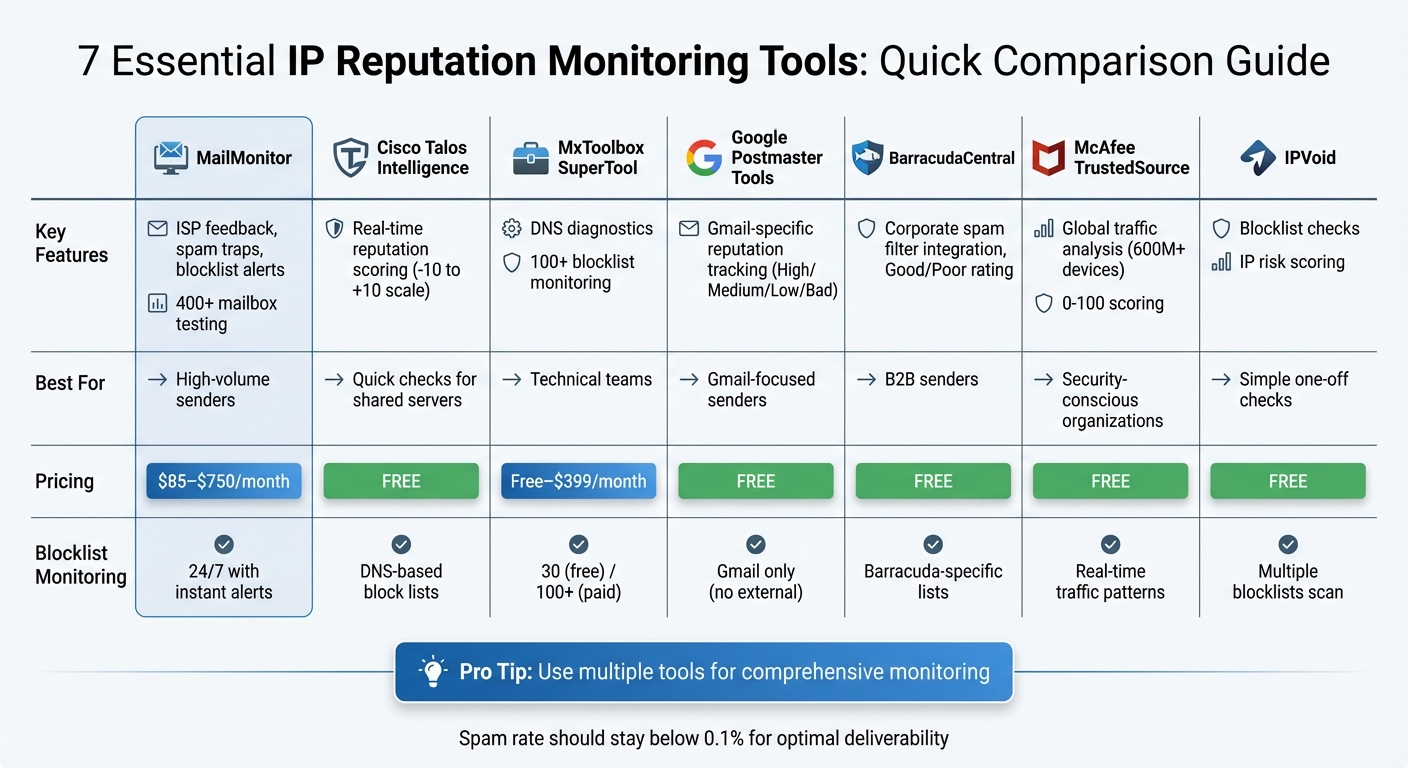
IP Reputation Monitoring Tools Comparison: Features, Pricing, and Best Use Cases
1. MailMonitor
IP Reputation Monitoring Capabilities
MailMonitor keeps a close watch on your sender reputation by tracking ISP feedback, blocklists, and spam traps. It pulls data directly from Microsoft SNDS and Google Postmaster Tools, giving you a clear picture of how major U.S. mailbox providers view your IP address. With over 400 test mailboxes across 90 ISPs, MailMonitor evaluates whether your emails land in the Primary, Promotions, or spam folders. It also checks DMARC, SPF, and DKIM authentication to ensure your email setup meets compliance standards [1]. This detailed approach helps you stay ahead of potential reputation issues.
Blocklist Detection and Removal Support
If your IP gets flagged on a blocklist, MailMonitor sends you an instant alert, helping you act quickly to minimize disruptions to your email campaigns. The platform also keeps an eye out for spam trap hits and ISP throttling – early indicators of possible reputation problems. Additionally, MailMonitor offers managed services for direct blocklist removal, making it easier to address these challenges effectively [1]. These features work together to provide a robust monitoring and alert system.
Insights into Email Deliverability
MailMonitor doesn’t just identify problems; it provides actionable insights tailored to specific ISPs. For instance, it alerts you if throttling occurs, so you can adjust your sending volume or strategy accordingly [1].
"MailMonitor’s analytics gave us insight into which internal tools and practices were getting the best results. This allowed us to transition our entire salesforce from ineffective tools to more effective sending strategies."
- Dan Westenskow, CEO, Fusion HCS
Use Cases for U.S.-Based Senders
For businesses in the U.S., MailMonitor simplifies compliance with the CAN-SPAM Act by helping you manage unsubscribe links and process opt-out requests within the required ten-business-day period. Its email verification service, which boasts 99% accuracy, helps clean your mailing lists to avoid high hard bounce rates that could trigger spam filters. Getting started is simple: send campaigns to the provided seed list and set up domain monitoring to begin optimizing your email performance [1].
2. Cisco Talos Intelligence IP and Domain Reputation

IP Reputation Monitoring Capabilities
Cisco Talos Intelligence uses a detailed scoring system ranging from –10 to +10 to classify IP and domain reputations as Good, Neutral, or Poor [10]. This data is updated every three hours, thanks to a global network of millions of sensors [7][9]. You can search for reputation insights on IPv4, IPv6, CIDR ranges, or specific domains in real-time [9].
The platform’s Reputation Monitoring Service (RMS) allows users to set up Monitor Groups for specific IPs or domains. It sends automated alerts whenever there’s a change in reputation. Talos also distinguishes between email reputation (focused on mail server IPs) and web reputation (evaluating entire domains and their associated IPs) [6][9].
These tools work together to deliver real-time updates and actionable steps to address potential issues quickly.
Blocklist Detection and Removal Support
When an IP or domain’s reputation is classified as Poor, Talos automatically checks the DNS-Based Block Lists for any flags [10]. Common reasons for poor scores include links to malware or spam-bot activity. Once these issues are resolved, reputations typically improve within 3–5 days [10]. For cases where an IP is mistakenly flagged, users can submit a Sender IP Reputation Support Ticket through their Cisco account. These manual investigations are usually completed within one business day [8][11].
Use Cases for U.S.-Based Senders
For senders in the United States, these tools are especially important due to the country’s massive email traffic. As of January 11, 2026, the U.S. leads globally in email volume with a magnitude of 9.80 and also ranks highest in spam levels at 7.90 [5]. This combination of high legitimate traffic and spam puts U.S. senders under greater scrutiny.
Talos provides clear reputation indicators: a Good score means your emails are unlikely to face filtering, while a Poor score suggests a high risk of being blocked [10]. To avoid issues, it’s critical to configure your DNS settings according to RFC5321 section 4.1.1.1, ensuring your activity doesn’t resemble spam-bot behavior [10].
3. MxToolbox SuperTool and Monitoring
IP Reputation Monitoring Capabilities
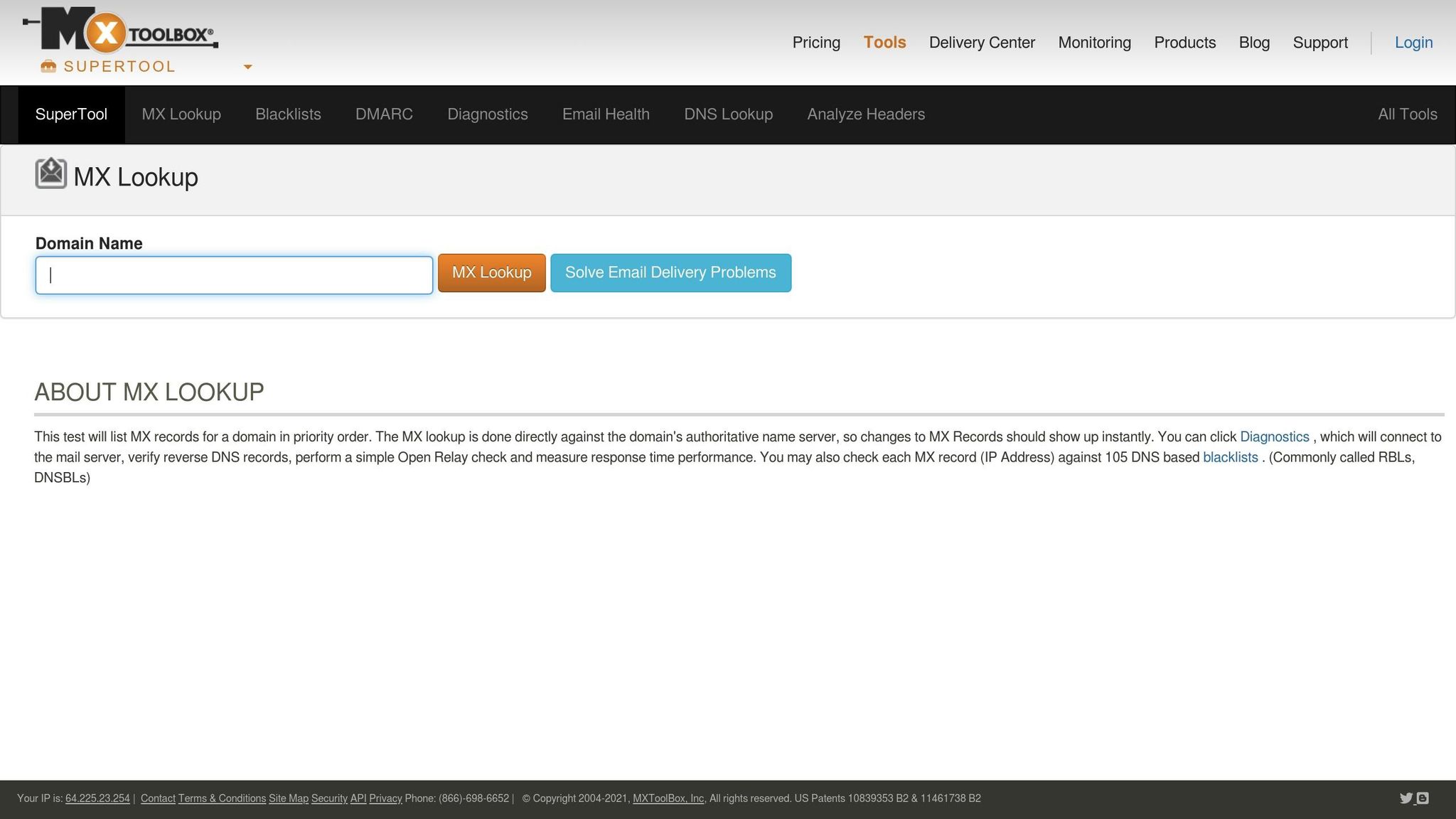
MxToolbox’s SuperTool is designed to keep your DNS, IP, and domain reputations in check, ensuring your infrastructure stays in good shape. It provides real-time monitoring of your sending systems and notifies you instantly about reputation shifts, outages, or critical updates. You’ll also receive weekly summaries that highlight trends in your reputation. On top of that, it includes diagnostic tools to troubleshoot DNS and email configurations, helping you catch technical issues before they escalate into blacklisting problems. For businesses juggling multiple IP addresses or domains, MxToolbox offers an API to integrate reputation checks directly into internal systems [13]. This ongoing monitoring approach supports a proactive stance on reputation management, aligning it with other tools mentioned in this guide.
Blocklist Detection and Removal Support
The SuperTool goes beyond monitoring with its blocklist detection capabilities. Its Blacklist Check scans your IP or domain across numerous databases to identify any blocklist entries that might hinder your email delivery [12][13]. To reduce false-positive alerts, MxToolbox actively manages its monitored blacklists, removing outdated or inactive ones. Plus, you can pause monitoring during maintenance to avoid unnecessary alerts.
"Blacklist monitoring is the beginning of good email delivery management." – MxToolbox [14]
The Delivery Center suite builds on these features by combining blacklist monitoring with broader email delivery management. It checks DMARC, SPF, and DKIM configurations to ensure proper authentication. Additionally, the Inbox Placement tool evaluates outgoing emails for potential issues like spammy content, broken links, or the use of link shorteners. It also verifies compliance with 1-Click Unsubscribe requirements, which are essential for bulk senders on platforms like Google and Yahoo! [12][13].
Insights into Email Deliverability
The Delivery Center provides deep insights into email performance, tracking key metrics like Gmail’s spam rate to help you understand how inbox providers view your sending practices [13]. Tools like the Email Delivery Report and DMARC Analyzer identify issues that could be blocking your emails from reaching inboxes. MxToolbox emphasizes this proactive approach, stating:
"MxToolbox Delivery Center provides the email configuration monitoring that you need to… Notify you of issues while they’re occurring to enable quick resolution and damage control." – MxToolbox [14]
Use Cases for U.S.-Based Senders
For U.S.-based senders, MxToolbox’s monitoring platform is particularly valuable. It integrates seamlessly with a variety of systems, making it an essential tool for managing deliverability. Whether you’re working with dedicated IPs, CRMs, marketing automation platforms, or support ticketing systems, the tool keeps a close eye on your sending infrastructure. If any IP or domain lands on a blocklist, you’ll get immediate alerts [13]. Regular audits of email authentication records, like SPF, DKIM, and DMARC, through the Delivery Center are also crucial for maintaining strong deliverability with major providers like Gmail and Outlook.
4. Google Postmaster Tools

IP Reputation Monitoring Capabilities
Google Postmaster Tools is a free resource that’s especially useful for U.S.-based senders, given Gmail’s popularity. It evaluates your IP and domain reputation using a four-level system: High, Medium, Low, and Bad [4]. The tool allows you to track reputation trends over various timeframes – 7, 30, 60, 90, or 120 days – helping you pinpoint sudden drops or gradual declines.
The platform features dashboards that provide insights into spam rate, IP/domain reputation, authentication, encryption, and delivery errors. To maintain a strong reputation, Google advises keeping your spam rate below 0.1%. For bulk senders – those sending 5,000+ messages to Gmail accounts within 24 hours – the threshold is slightly higher at 0.3%. Keep in mind, though, that data will only populate in your dashboard if you’re sending emails to at least 100–200 unique Gmail addresses daily.
Blocklist Detection and Removal Support
The Delivery Errors dashboard alerts you if your IP or domain has landed on a public Real-time Blocklist (RBL). While the tool doesn’t assist with delisting, it flags these issues so you can take action [4]. It also highlights common causes of message rejections or temporary delivery failures, such as authentication problems or policy violations.
Another feature, the Compliance Status dashboard, tracks how well you’re adhering to Gmail’s sender guidelines. This includes ensuring proper authentication and offering features like a one-click unsubscribe option. For bulk senders, strict compliance with these guidelines is essential to avoid delivery blocks.
Insights into Email Deliverability
"For U.S. senders, Gmail data serves as a key performance indicator." – Ivan LaBianca, Seventh Sense
Google Postmaster Tools differentiates between emails flagged as spam by users and those filtered by Gmail’s algorithms. This distinction is crucial because a low user-reported spam rate doesn’t necessarily mean your emails are reaching inboxes – they could still be diverted to spam folders. For senders using shared IP addresses, monitoring domain reputation becomes even more critical, as specific IP data might not be available. Note that the data in these dashboards updates every 24 hours, so it’s not real-time. These insights can play a vital role in refining your IP reputation strategy.
Use Cases for U.S.-Based Senders
To get started, verify your domain using a TXT or CNAME record. Monitor both your root domain and subdomains to gain a complete picture of your email performance. Regularly reviewing reputation trends can help you catch and address negative patterns early. If your reputation drops to the "Bad" level, prioritize cleaning your email lists, removing disengaged subscribers, and double-checking that all authentication protocols are correctly configured. This proactive approach can help you recover and maintain a healthy reputation.
5. BarracudaCentral Reputation System
IP Reputation Monitoring Capabilities
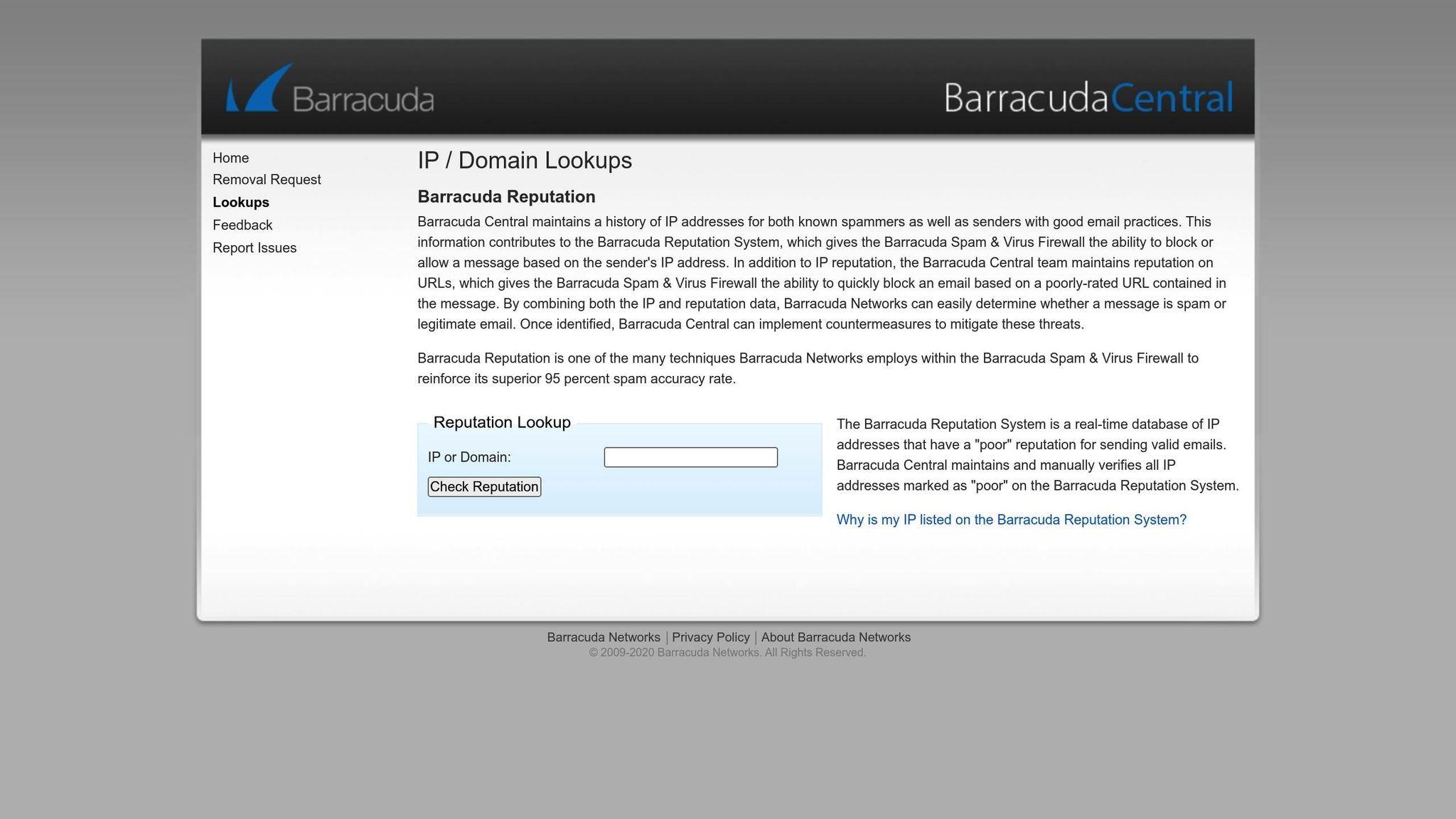
BarracudaCentral maintains a real-time database that classifies IP addresses as either "good" or "poor", based entirely on their sending history [16][3]. To reduce false positives, "poor" IP addresses are manually reviewed by BarracudaCentral engineers [16].
The system gathers data from spam traps (and it’s crucial to avoid spamtraps to maintain a clean reputation) and other online sources to evaluate whether specific mail servers are likely to send legitimate emails [17][18]. It also monitors URL reputation, blocking emails that contain links to domains with low ratings [16]. The Barracuda Reputation Block List (BRBL) serves as an automated tool that integrates directly with the Barracuda Spam & Virus Firewall, delivering an impressive 95% spam detection accuracy [16]. This combination of manual verification and automated processes sets BarracudaCentral apart, enhancing its dependability.
Blocklist Detection and Removal Support
BarracudaCentral offers a free lookup tool to check if your IP is flagged. If it is, you can submit a single removal request that includes your mail server’s IP, sender email, phone number, and a clear explanation [20][2][15].
"Removal requests are typically investigated and processed within 12 hours of submission if provided with a valid explanation." – Barracuda Networks [15]
Make sure all contact details are correct and avoid submitting duplicate requests, as incomplete or repeated submissions will be ignored by the system [15]. The fast response time – typically within 12 hours – makes BarracudaCentral a highly responsive service.
Use Cases for U.S.-Based Senders
With its robust monitoring and removal features, BarracudaCentral is especially valuable for U.S.-based B2B senders. Many corporate email filters rely on BarracudaCentral’s data, so a poor IP rating could block your messages. It’s a good idea to verify your IP before launching major campaigns and to ensure your SPF, DKIM, and DMARC configurations are properly set up [20][19].
The system categorizes emails into groups such as Transactional, Corporate, Marketing/Newsletters, Mailing Lists, and Social Media [18]. Administrators can create specific policies for each category, ensuring that critical transactional emails – like invoices and order confirmations – always reach their intended recipients. For example, setting the "Transactional" category to "Allow" ensures these essential communications are not mistakenly blocked [18].
sbb-itb-eece389
6. McAfee TrustedSource
IP Reputation Monitoring Capabilities
McAfee TrustedSource keeps a close watch on IP behavior in real time, covering over 600 million devices. It identifies spam, malware, and phishing threats by analyzing sending patterns and other threat signals [21][23][2].
The platform uses databases to compare IPs against major blocklists like Spamhaus and Barracuda [22][2]. Additionally, it generates web reputation scores through third-party services integrated within McAfee’s ecosystem. This gives senders a clear view of how their IPs are rated across various security networks.
Use Cases for U.S.-Based Senders
McAfee TrustedSource provides specific insights that help businesses manage their IP reputation effectively. For companies in the United States, where spam activity is particularly high, this tool is especially useful. It helps separate legitimate traffic from spam, ensuring that businesses don’t get flagged due to malicious activity in the same region [5].
Many enterprise teams combine McAfee ePO with ServiceNow to automate incident responses, allowing them to address reputation issues quickly [24]. For organizations sending large volumes of marketing or transactional emails, this proactive approach safeguards email deliverability and ensures smooth operations.
7. IPVoid IP and Domain Reputation Checker
IP Reputation Monitoring Capabilities
IPVoid is a handy tool for checking both IPv4 and IPv6 addresses against multiple blocklists [25]. It assigns an IP risk score to flag any suspicious activity, such as connections to anonymizing proxies [25].
But it doesn’t stop there. The platform also offers domain reputation analysis, URL reputation checks, and SSL certificate verification [25]. This ensures that every part of your email-sending infrastructure meets essential security standards. For businesses managing large email volumes, IPVoid provides an IP Reputation API that can be integrated into existing systems for real-time, automated monitoring [25].
Blocklist Detection and Removal Support
It’s important to note that IPVoid is designed for investigation and monitoring, not for directly removing IPs from blocklists [25][3]. When you run a scan, the tool checks your IP against major blocklists and highlights any databases where your address is flagged. If your IP receives a negative score, it’s crucial to identify the underlying issues – such as spam activity or compromised accounts – before pursuing removal [3].
Additionally, IPVoid includes a disposable email checker to weed out temporary email addresses, which can help maintain a cleaner list [3]. For U.S.-based senders, especially those navigating strict authentication requirements from Gmail, Outlook, and Yahoo, this proactive monitoring can address potential issues before they affect email deliverability [19].
Use Cases for U.S.-Based Senders
IPVoid is a reliable ally for U.S.-based senders aiming to maintain strong email deliverability. High-volume senders can take advantage of its free tools to assess IP health before launching campaigns [25][3]. Features like the Website Trust Score are particularly useful for e-commerce businesses, ensuring that links in emails won’t trigger security warnings for recipients [25]. The domain age check is another valuable tool, as it helps establish credibility – an important factor since newer domains often face greater scrutiny from how spam filters work [25].
"Regular monitoring can help detect early signs of reputation issues, enabling proactive steps to mitigate problems before they escalate." – emailvendorselection.com [2]
For seamless monitoring, the IP Reputation API can be integrated to send real-time alerts if your score drops [25].
How Do I Check My Email IP Reputation? – TheEmailToolbox.com
Tool Comparison Table
Below is a summary table that highlights key features of various email reputation and deliverability tools. This quick reference can help you choose a tool that aligns with your needs, expertise, and email volume.
| Tool | IP Reputation Features | Blocklist Monitoring | Deliverability Data | Best-Fit Use Case | Pricing |
|---|---|---|---|---|---|
| MailMonitor | Monitors email setup, ISP feedback, blocklistings, and spam trap exposure 24/7; integrates Microsoft SNDS and Google Postmaster data [1] | 24/7 monitoring with alerts [1] | Inbox placement testing across 400+ real mailboxes [1] | Ideal for high-volume senders needing detailed deliverability insights [1][27] | Business: $85/month; Enterprise: $750/month [27] |
| Cisco Talos Intelligence | Provides a traffic light rating (Good/Neutral/Poor) and shows reputations of co-hosted IPs [2] | Checks if domain or IP is on major blacklists [3] | Categorizes reputation as Good, Neutral, or Poor [2] | Best for quick IP/domain reputation checks and shared server analysis [2][27] | Free [2] |
| MxToolbox SuperTool | Offers 37 lookup features for DNS diagnostics [2][27] | Free: top 30 blacklists; Paid: 100+ blocklists [3][27] | Includes DNS and header analysis [27] | Suited for technical teams needing advanced DNS validation and blocklist tracking [2][27] | Free for basic; Delivery Center: $129/month; Plus: $399/month [2][27] |
| Google Postmaster Tools | Uses reputation tiers (High, Medium, Low, Bad) specific to Gmail [2][27] | Limited to Gmail (no external blocklists) [27] | Provides spam rates, delivery errors, and feedback loop data for Gmail [27] | Perfect for high-volume senders targeting Gmail users [2][27] | Free [2][27] |
| BarracudaCentral | Offers a simple Good/Poor categorization based on real-time data [3][27] | Focuses on Barracuda-specific blocklists [3][27] | Displays Good/Poor reputation status [27] | Useful for verifying Barracuda filter blocks in corporate environments [27] | Free [2][27] |
| McAfee TrustedSource | Assigns numerical reputation scores (0-100) for around 4.2 billion IP addresses [3] | Analyzes real-time traffic patterns [3] | Provides numerical scoring for IPs, URLs, and domains [3] | Designed for global security reputation and threat intelligence [3] | Free [3] |
| IPVoid | Checks IPv4 addresses and assigns IP risk scores [25] | Scans multiple blocklists for spam flags [25][3] | Detects negative reputation issues [3] | Great for simple, one-page IPv4 checks and basic investigations [3] | Free [3] |
For enterprises needing in-depth analytics, MailMonitor is a standout choice with its real-world inbox placement testing and integration with Microsoft SNDS and Google Postmaster. Google Postmaster Tools is a must-have for anyone sending significant volumes to Gmail users. If you’re looking for quick, free reputation snapshots, Cisco Talos Intelligence and BarracudaCentral are excellent options. Meanwhile, MxToolbox SuperTool caters to technical teams with its robust DNS diagnostics and blocklist monitoring. For security-focused insights, McAfee TrustedSource offers detailed reputation scores across billions of IPs. Finally, IPVoid is perfect for basic, one-off reputation checks.
Many U.S. senders benefit from using multiple tools to get a complete picture of their email reputation. For example, MailMonitor combines data from Microsoft SNDS and Google Postmaster, making it a powerful centralized platform for monitoring performance across major email ecosystems.
Conclusion
Each tool we’ve explored offers distinct insights that help build a clearer picture of your IP reputation. To manage IP reputation effectively, you need to rely on multiple tools. Google Postmaster Tools provides Gmail-specific data, while Cisco Talos sheds light on how the activity of neighboring servers can affect your reputation. On the other hand, MxToolbox scans over 100 blocklists to ensure your IP stays in good standing [3]. Since ISPs use proprietary scoring systems, adopting a multi-tool strategy is essential for thorough deliverability monitoring [20].
"IP reputation is how the receiving email server judges how trustworthy a sender you are. A poor IP reputation means spam filters will block more of your messages." – Paul Newham, Content Writer, Email Vendor Selection [2]
At its core, IP reputation reflects how trustworthy your emails appear to receiving servers. A low reputation score significantly raises the risk of your emails being blocked. To avoid deliverability issues, aim to keep your spam complaint rate below 0.1%, maintain a delivery rate of over 95%, and ensure bounce rates stay under 2% [20][26].
FAQs
What steps can I take to improve my IP reputation using monitoring tools?
Improving your IP reputation requires consistent monitoring and proactive measures. Tools like MailMonitor offer real-time insights into how ISPs view your sending IP, immediately notifying you if it’s flagged on blocklists. This early warning system helps you tackle issues before they harm your email deliverability. The platform also pinpoints reputation risks, such as authentication errors or spam-trap interactions, and provides clear steps to address them.
MailMonitor also features a seed-testing tool that mimics email deliveries to major providers. This shows exactly where your emails land – whether it’s the inbox, promotions tab, or spam folder. By using this data to prioritize necessary fixes, you can improve your email placement effectively.
To keep your IP reputation strong, stick to best practices like setting up SPF, DKIM, and DMARC, maintaining clean email lists, gradually warming up new IPs, and routinely monitoring bounce and complaint rates. Combining these habits with advanced tools like MailMonitor helps ensure your IP stays in good standing with ISPs.
What factors influence IP reputation?
IP reputation is shaped by a combination of behavioral and technical signals that email providers analyze to gauge how trustworthy a sending IP is. Here’s what plays a major role:
- Engagement metrics: High open and click-through rates show that recipients value your emails and engage with them.
- Complaint rates: Frequent spam complaints can severely hurt your reputation.
- List hygiene: Keeping your email list clean by minimizing bounce rates and removing invalid or outdated addresses is essential.
- Spam-trap hits: These indicate poor list management and can quickly tarnish your reputation.
On the technical side, email authentication protocols like DKIM, SPF, and DMARC are crucial for proving your identity as a sender. Maintaining consistent sending volumes helps avoid raising red flags, while being flagged on blocklists or blacklists can seriously damage how mailbox providers perceive you. Together, these factors determine whether your emails land in the inbox, get filtered into the promotions tab, or are sent straight to the spam folder.
Why should I use multiple tools to monitor IP reputation?
Using several tools for IP reputation monitoring gives you a more thorough and precise way to track issues. Each tool taps into unique data sources, blocklists, and update schedules, so combining them ensures you catch problems that one tool alone might overlook. This expanded coverage helps you spot issues quickly and stay on top of your IP’s reputation.
On top of that, using multiple tools adds a layer of redundancy and allows for cross-checking. If one tool misses an alert or faces delays, another can step in to notify you. This layered strategy helps protect your sender reputation and ensures your emails make it to inboxes instead of getting flagged as spam.

