
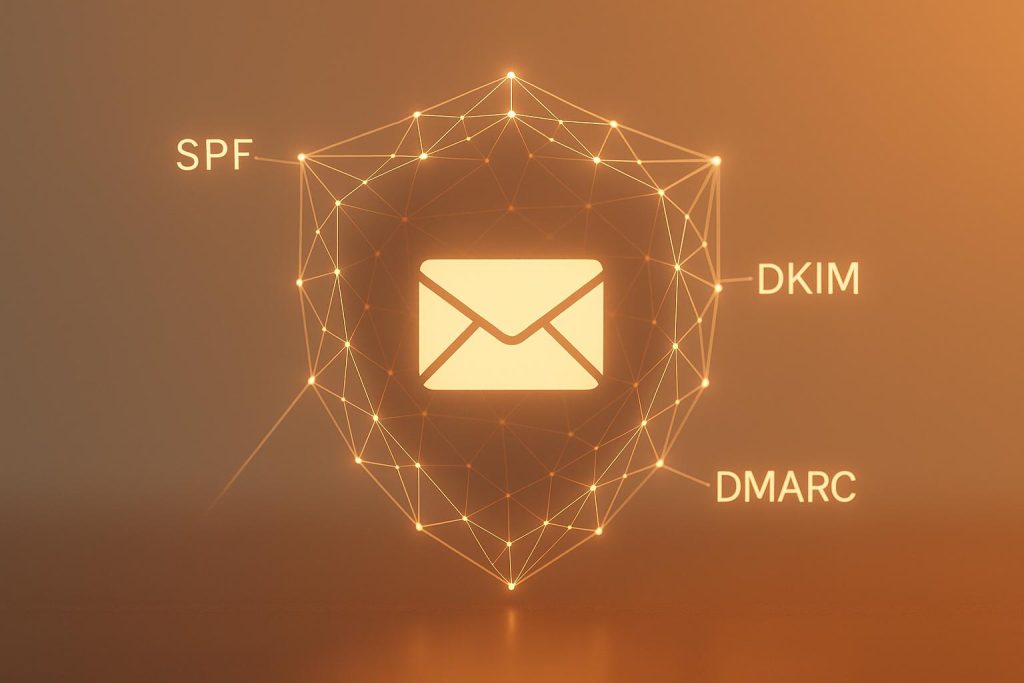
Email blocklists can destroy your email campaigns, sending your messages straight to spam or blocking them altogether. In 2025, tougher ISP filtering standards and stricter email regulations make blocklist prevention more critical than ever. Here’s what you need to know:
- What are blocklists? Databases ISPs use to flag IPs or domains tied to spam activity.
- Why they matter: Being blocklisted damages your sender reputation, reduces deliverability, and can take months to fix.
- How to avoid them: Use SPF, DKIM, and DMARC authentication, clean your email lists regularly, and follow responsible sending practices like gradual IP warming and consistent schedules.
- Key strategies: Monitor your sender reputation, validate email addresses, and remove inactive or risky contacts. Avoid buying lists and hitting spam traps.
Preventing blocklisting is easier than recovering from it. Focus on strong technical setups, list hygiene, and engagement to keep your emails reaching inboxes.
How to avoid email blacklists: IP & domain checks you must know
Building a Strong Technical Foundation
Your technical setup plays a key role in avoiding blocklisting and ensuring your emails make it to the inbox. Internet Service Providers (ISPs) place a high priority on authenticated emails and often reject messages that don’t meet their standards. By establishing a solid technical foundation with proper authentication and DNS configurations, you can significantly improve email deliverability.
Setting Up SPF, DKIM, and DMARC Authentication
SPF (Sender Policy Framework) acts as your first defense against email spoofing. It works by allowing you to publish a list of authorized mail servers in your DNS records. When an email is received, the server checks if the sending IP address is on this list. If it’s not, the email is flagged or rejected.
DKIM (DomainKeys Identified Mail) adds an extra layer of security by attaching a digital signature to your outgoing emails. Your server uses a private key to sign the messages, while the recipient’s server verifies the signature using a public key published in your DNS. This process ensures the email hasn’t been tampered with and confirms its origin.
DMARC (Domain-based Message Authentication, Reporting, and Conformance) builds on SPF and DKIM by instructing receiving servers on how to handle emails that fail authentication. Start with a monitoring policy (p=monitor) to evaluate performance, then gradually move to stricter policies like quarantine or reject as your setup stabilizes. Using SPF, DKIM, and DMARC together strengthens your email security and boosts deliverability while lowering the risk of blocklisting[3].
To set up these protocols:
- SPF: Create a DNS record listing all mail servers authorized to send emails on your behalf. Include your main server, third-party services, and backup servers.
- DKIM: Generate a public-private key pair. Publish the public key in your DNS and configure your mail server to attach digital signatures to outgoing emails.
- DMARC: Start with a monitoring policy to gather data on how your emails are authenticated. Once you’re confident in your setup, adjust the policy to quarantine or reject suspicious emails.
These steps establish your legitimacy as a sender and reduce the likelihood of being flagged or blocked.
Configuring Reverse DNS and MX Records
Beyond authentication, proper DNS configurations further reinforce your credibility. Reverse DNS (rDNS) ensures that your sending IP matches your domain by linking the IP address to your mail server’s hostname. Setting up a PTR record that aligns with your domain helps prove your authenticity and minimizes blocklisting risks.
MX (Mail Exchange) records, on the other hand, direct incoming emails to the correct servers for your domain. Properly configured MX records with clear priority levels and redundancy ensure smooth email delivery. Misconfigured or absent MX records can lead to delivery failures, which can hurt your reputation as a sender.
Additionally, prevent open relay configurations. Open relays allow unauthorized users to send emails through your server, which can lead to spam abuse and blocklisting. Limit access to authenticated users and approved IPs, and test your settings regularly to avoid vulnerabilities.
Monitoring Email Authentication Performance
Ongoing monitoring is essential to maintain your email infrastructure. Regularly review DMARC reports and track your sending IPs to identify potential issues. Tools like Gmail Postmaster, Microsoft SNDS, MXToolbox, and the Spamhaus Blocklist Removal Center can provide real-time alerts if your domain or IP appears on any blocklists. These tools also help you track unusual patterns, such as spikes in bounce rates or failed login attempts, which may indicate configuration errors or security issues.
As your email system evolves – whether you’re adding servers, integrating third-party services, or migrating to the cloud – update your authentication settings to reflect these changes. Keep detailed documentation of all authorized sending sources and review your records at least quarterly to ensure accuracy. Consistent updates and monitoring help build trust with ISPs, which is critical for maintaining long-term deliverability and avoiding blocklists.
At MailMonitor, we provide tools to help you track your email reputation and authentication performance. Our platform delivers actionable insights, helping you stay ahead of technical challenges and ensuring your emails consistently land in the inbox – not the spam folder.
Keeping Your Email List Clean
After setting up a solid technical foundation, keeping your email list clean is essential for protecting your sender reputation. An outdated or poorly maintained list can lead to issues like invalid addresses, spam traps, and disengaged subscribers – all of which can harm your reputation and increase the chances of your emails being flagged as spam. Regular maintenance ensures you’re staying off blocklists and maintaining strong deliverability.
Validating and Removing Invalid Addresses
Invalid email addresses are a major red flag. They result in hard bounces, damaging your reputation and increasing the risk of blocklisting. Over time, typos, abandoned accounts, and fake addresses can pile up, with each undeliverable email chipping away at your credibility.
The best way to tackle this is by validating email addresses as soon as they’re collected. Real-time validation can catch syntax errors, confirm domain existence, and flag suspicious patterns, keeping problematic addresses out of your database from the start.
Email verification tools are also a powerful ally in this process. They perform checks to identify issues like missing "@" symbols, inactive domains, and even patterns that match known spam traps. Tools like MailMonitor can scan your list and remove risky addresses before they impact your deliverability.
Make it a habit to validate your list regularly – scan before launching campaigns, immediately remove hard bounces, and keep an eye on soft bounces for eventual removal. By catching these issues early, you can maintain a healthier list and safeguard your sender reputation.
Once you’ve cleaned your list, shift your focus to keeping your subscribers engaged, as this plays a big role in maintaining good deliverability.
Managing Lists Based on Engagement
Inactive subscribers can quietly harm your email performance. They drag down engagement metrics – key indicators ISPs use to determine whether your emails are welcome. Worse, inactive addresses that linger on your list too long could be turned into spam traps, especially if ISPs recycle them to catch senders with poor list hygiene.
To address this, consider implementing a sunset policy based on how frequently you send emails. For instance, if you send weekly emails, you might remove subscribers who haven’t interacted in six months. For monthly campaigns, a 12-month window could work better. Regular monitoring and timely action can help you avoid the risks associated with inactive addresses.
Before removing inactive subscribers, try running a re-engagement campaign to see if they’re still interested. A smaller, more engaged list often outperforms a larger one filled with disinterested users, resulting in better open rates, click rates, and conversions.
Also, keep an eye on complaint rates. If more than 0.3% of your recipients mark your emails as spam on platforms like Gmail or Yahoo, you could face stricter filtering or throttling. Suppressing contacts who repeatedly flag your emails as spam is critical for keeping complaint ratios low.
Avoiding Spam Traps and Permission Issues
Spam traps are a direct route to blocklisting. These traps come in two types: pristine and recycled. Pristine traps are fake email addresses created to catch spammers, while recycled traps are old, abandoned addresses repurposed by ISPs to detect poor list management. Hitting either type can severely damage your reputation.
To steer clear of spam traps, avoid buying email lists from third-party sources. Purchased lists are risky because the recipients haven’t given consent to receive your emails, which can lead to spam complaints and blocklisting. Instead, focus on organic methods of building your list to ensure high-quality, permission-based contacts.
Using double opt-in for new subscribers is another effective way to maintain list quality. This extra step not only verifies that an email address is valid but also confirms that the subscriber genuinely wants to hear from you. While double opt-in might lower your initial conversion rates, it pays off in the long run with better engagement, fewer complaints, and reduced blocklisting risks.
Always document when, where, and how subscribers joined your list. Keeping detailed consent records can protect you if your practices are ever questioned by email providers or regulators.
Lastly, avoid posting valid email addresses on public websites to reduce the risk of them being harvested. Focus on building permission-based lists through legitimate channels and minimize collection from risky sources.
sbb-itb-eece389
Following Responsible Sending Practices
Once you’ve cleaned up your email list and set a strong foundation, the next step is to focus on responsible sending practices. These are essential for keeping your sender reputation intact and ensuring your emails actually reach inboxes. Internet Service Providers (ISPs) keep a close eye on sending patterns to separate legitimate senders from spammers. Sticking to responsible practices helps reinforce your credibility and reduces the chances of being flagged or added to blocklists.
Warming Up New Domains and IP Addresses
If you’re using a new domain or IP address to send emails, it’s important to ease into it. Sending a large volume of emails right away can raise red flags with ISPs, as it mimics spammer behavior. Instead, begin by sending emails to small, highly engaged segments of your audience. Gradually increase the volume over several days or weeks. This slow and steady approach builds a positive sending history and earns the trust of ISPs through consistent engagement from your recipients.
Maintaining Consistent Sending Patterns
Consistency is key when it comes to email sending habits. ISPs use advanced algorithms to detect irregularities, and sudden spikes or erratic schedules can set off alarms. Avoid sending in unpredictable bursts or going silent for long periods. Instead, stick to a regular schedule that aligns with your usual business activities.
Keep an eye on your sending patterns, looking out for unusual spikes or increases in bounces. Spotting these issues early can help you address them before they harm your sender reputation.
Encouraging Positive Engagement
Engagement metrics like open rates, click-through rates, and replies are crucial indicators for ISPs. These metrics show whether your recipients find value in your emails. High engagement strengthens your sender reputation and improves your chances of landing in inboxes, while low engagement can lead to stricter filtering by ISPs.
To encourage engagement, focus on delivering concise, relevant content with clear subject lines. Always include a visible unsubscribe link – hiding or removing it can violate CAN-SPAM regulations and increase spam complaints. Avoid using spammy trigger words, which can hurt your deliverability.
Personalizing your emails by segmenting your audience and tailoring content to their preferences can also make a big difference. Tools like MailMonitor allow you to track engagement metrics and identify potential issues early, helping you adjust your strategy as needed. By keeping your audience engaged, you create a strong sender reputation that supports long-term deliverability success.
Monitoring and Recovering from Blocklisting
Even with the best preventive measures in place, blocklisting can still happen. The real difference between a minor setback and a major email deliverability crisis often hinges on how quickly you detect and resolve the issue. By combining proactive monitoring with a solid technical foundation and clean email lists, you can minimize disruptions and recover effectively.
Tracking Sender Reputation and Blocklist Status
Keeping a close eye on your sender reputation and blocklist status is essential for maintaining strong email deliverability. Regularly checking your IP addresses and domains against multiple DNS blocklists can help you catch problems early, before they derail your campaigns [4].
Tools like Gmail Postmaster and Microsoft SNDS are invaluable for tracking metrics like spam versus inbox rates. These platforms can help you spot negative engagement trends before they escalate into bigger issues [2]. Another powerful tool, MailMonitor, provides real-time deliverability analytics by tracking emails across more than 400 real inboxes. This level of insight makes it easier to identify and resolve the causes of spam issues – including blocklisting – before they escalate.
"MailMonitor helps us identify and fix our spam issues. It’s like having a deliverability expert on our team." – Dan Westenskow, CEO, Fusion HCS [1]
Different blocklists may use varying criteria, so checking your IP and domain against multiple databases ensures you can catch any listings early.
Recognizing Early Warning Signs
Monitoring tools do more than track your reputation – they can also alert you to early signs that your domain or IP might be at risk of blocklisting. Here are some key indicators to watch for:
- Sudden spikes in hard bounces: If your bounce rate unexpectedly increases, it could point to issues with list quality [3].
- Rising spam complaints: A higher number of complaints often signals recipient dissatisfaction, which is a common trigger for blocklisting [2].
- Unusual sending patterns: Irregular sending times, dramatic volume spikes, or inconsistent frequencies can raise red flags with ISPs [5].
- Failed login attempts or unauthorized access: These can indicate a compromised email server, often due to weak passwords or unsecured accounts [3].
- Declining engagement metrics: Lower open and click-through rates, or emails consistently landing in spam folders, may suggest your emails are being filtered and could lead to blocklisting [2][3].
By addressing these warning signs early, you can avoid more serious deliverability problems.
How to Recover from Blocklisting
If you find that your domain or IP has been blocklisted, swift action is crucial. While prevention is always better than remediation, knowing the right steps can help you recover faster and limit the impact on your email campaigns.
- Identify the Blocklist
Use monitoring tools to check multiple DNS databases and identify where you’ve been listed [4]. Each blocklist has its own removal process, so knowing the specific list is essential. Most operators provide a delisting request system, but requirements can vary [6]. - Investigate the Root Cause
Review your recent sending activity, list hygiene, authentication protocols, and server security. Issues like spam trap hits, poor list maintenance, or authentication failures are common culprits [3][5]. - Implement Corrective Actions
Take immediate steps to address the problem. Clean your email lists, ensure authentication protocols (like SPF, DKIM, and DMARC) are set up correctly, and secure your email server. Enabling two-factor authentication and using tools like MXToolbox to test server security can help prevent future issues [3]. - Contact the Blocklist Operator
Submit a delisting request, including evidence of the steps you’ve taken to resolve the issue. Tools like MailMonitor can provide actionable insights to strengthen your case. Be prepared to take additional steps if the blocklist operator requires further verification [5]. - Wait for Processing
Recovery times vary depending on the blocklist. Some lists may automatically delist you after a period of clean sending, while others require manual review. The process can take anywhere from a few days to several weeks [5].
Once you’re delisted, it’s crucial to address any underlying issues and follow the blocklist’s specific policies. Maintain strict list hygiene and monitor your sender reputation to avoid being relisted [2][5]. Continuous vigilance is key to keeping your email campaigns running smoothly.
Conclusion and Key Takeaways
Avoiding blocklisting in 2025 requires staying ahead of potential issues with a strong technical setup, clean mailing lists, consistent sending habits, and diligent monitoring. While even the most careful senders can face challenges, businesses that stick to email deliverability best practices consistently achieve better results. In the end, the difference between maintaining inbox placement and dealing with deliverability disasters lies in how much effort you put into prevention.
Main Strategies for Preventing Blocklisting
To build a reliable email program, focus on these four key strategies:
Technical setup
Ensure your email authentication is rock solid by implementing SPF, DKIM, and DMARC protocols. Email providers like Gmail and Yahoo prioritize emails with proper authentication when deciding inbox placement [3]. Double-check that your reverse DNS and MX records are properly configured, as these are critical to your technical foundation [4].
Email list management
Keep your lists clean and permission-based. Validate addresses regularly and remove invalid ones [3]. Use double opt-in methods to confirm that subscribers genuinely want your emails [5]. Never purchase email lists – recipients who didn’t opt in are more likely to mark your messages as spam [5]. For inactive users, apply a sunset policy after trying to re-engage them [2].
Responsible sending practices
Warm up new domains and IPs gradually, maintain steady sending patterns, and avoid sudden spikes in volume [5]. Protect your mail servers with strong passwords and two-factor authentication, and configure them to accept emails only from authenticated users or approved IPs to prevent open relay vulnerabilities [3]. Regularly test your setup using tools like MXToolbox to stay on top of security [3].
Reputation monitoring
Check your IPs and domains against DNS blocklists frequently to catch problems early [4]. Tools like Gmail Postmaster and Microsoft SNDS can help you track key metrics like spam rates versus inbox placement [2]. Watch for unusual activity, such as bounce rate spikes or failed login attempts, which could signal a compromised server [3].
Next Steps for Email Marketers
With these strategies in mind, take actionable steps to strengthen your email program. Start by reviewing your current setup, focusing on authentication, list hygiene, server security, and sending patterns. If you find any weak spots, prioritize fixing your authentication protocols, as they form the backbone of email deliverability.
Create a clear plan to address vulnerabilities and set up ongoing monitoring routines. Validate emails at the point of collection [2], schedule regular list cleanups, and monitor engagement metrics to spot and address negative trends early.
Consider using advanced deliverability tools for real-time insights. For example, MailMonitor offers analytics that help businesses resolve spam issues before they become major problems. They even promise 90% inbox placement within 90 days [1].
"MailMonitor helps us identify and fix our spam issues. It’s like having a deliverability expert on our team." – Dan Westenskow, CEO, Fusion HCS [1]
FAQs
What happens if I don’t keep my email list up to date, and how does it impact my sender reputation?
Keeping your email list clean isn’t just a best practice – it’s essential for the success of your email campaigns. Sending emails to invalid or disengaged addresses can spike your bounce rates and drag down engagement. Internet Service Providers (ISPs) monitor these metrics closely to determine your sender reputation.
If your reputation takes a hit, the consequences can be serious. Your emails might get flagged as spam, blocked outright, or worse – your domain could end up on a blocklist. This means fewer of your messages will reach your audience, severely impacting your email deliverability. To avoid this, make it a habit to regularly update your email list and remove inactive or invalid contacts. It’s a simple step that goes a long way in protecting your reputation and ensuring your emails make it to the inbox.
What are the best ways to monitor and address early signs of potential email blocklisting?
To avoid the headache of email blocklisting, keeping a close eye on your email deliverability and sender reputation is a must. Pay attention to key metrics such as bounce rates, spam complaints, and inbox placement rates. Spotting unusual patterns early can help you catch potential problems before they grow.
Tools like MailMonitor make this easier by providing real-time data on your email performance. These insights allow you to quickly identify and address issues, ensuring your emails continue to land where they’re supposed to – your audience’s inbox. Staying proactive with your email reputation is the key to uninterrupted communication.
What should I do if my domain or IP address is blocklisted, and how can I avoid it in the future?
If your domain or IP address ends up on a blocklist, the first thing you need to do is figure out what caused it. Common culprits include poor email-sending practices, outdated configurations, or even a compromised system. Once you pinpoint the issue, take steps to fix it. This might involve updating your email authentication records (like SPF, DKIM, or DMARC), removing problematic email addresses from your list, and ensuring you’re in line with anti-spam rules.
To avoid being blocklisted in the future, stick to good email habits. Keep your email list clean, steer clear of spammy language, and regularly monitor your sender reputation. Tools like MailMonitor can be a big help, offering insights into your email deliverability and helping you stay on track so your messages land where they’re supposed to – the inbox.

