

In 2025, making sure your emails land in the primary inbox – not spam or promotions – is more important than ever. Why? Because email marketing still delivers a massive ROI of $36 for every $1 spent. But with nearly half of emails flagged as spam in recent years, getting your message seen requires careful testing and monitoring.
Here’s the quick rundown:
- Authentication is key: Set up SPF, DKIM, and DMARC to protect your domain and improve trust with email providers.
- Sender reputation matters: Keep bounce rates under 2% and spam complaints below 0.1% to avoid being flagged.
- Test before you send: Use seed lists to check how your emails perform across Gmail, Yahoo, Outlook, and others.
- Engagement drives deliverability: Focus on open rates, clicks, and interactions to signal value to ISPs.
- Tools like MailMonitor help: They provide insights into inbox placement, spam folder rates, and actionable fixes.
Want your emails to perform better? Combine technical setup, testing, and real user engagement to maintain strong inbox placement. The goal: 80%+ inbox rates, with top performers aiming for 90% or higher.
Best Email Deliverability Tools that Work – GlockApps, Email on Acid and InboxAlly Review
Prerequisites for Testing Inbox Placement
Before diving into testing where your emails land, it’s essential to set up the technical infrastructure that internet service providers (ISPs) expect from trustworthy senders. This foundation ensures your emails have the best chance of reaching the inbox.
Setting Up SPF, DKIM, and DMARC Authentication
SPF, DKIM, and DMARC are critical for secure and reliable email delivery. In February 2024, Google and Yahoo mandated that bulk senders use DMARC with at least a "none" policy to curb email spoofing.
- SPF (Sender Policy Framework): SPF specifies which servers can send emails on your domain’s behalf, helping prevent spoofing. To configure SPF, identify all services that send emails for your domain, then update or create an SPF record in your DNS to include these services. Use tools like MXToolbox to verify your setup.
- DKIM (DomainKeys Identified Mail): DKIM protects your emails from tampering by adding a digital signature. To set it up, generate DKIM keys through your email provider, add the TXT records to your DNS, and enable DKIM signing. You can check if it’s working by looking for "DKIM: PASS" in your email headers.
- DMARC (Domain-based Message Authentication, Reporting, and Conformance): DMARC uses SPF and DKIM results to decide how to handle unauthenticated emails and provides reports on suspicious activity. Start with a monitoring policy (p=none), add a DMARC TXT record in your DNS, and gradually enforce stricter policies as you analyze the reports.
Once these authentication protocols are in place, shift your focus to maintaining a strong sender reputation and monitoring blocklists.
Managing Sender Reputation and Blocklist Monitoring
Your sender reputation plays a huge role in whether ISPs deliver your emails to the inbox or toss them into spam. It’s influenced by factors like your sending history, engagement rates, spam complaints, and bounce rates. For instance, senders with scores above 90 typically see about 92% of their emails reach the inbox, while a poor reputation could result in inbox placement as low as 40%. Keeping your spam complaint rate below 0.1% is also vital to avoid triggering ISP filters.
To maintain a solid sender reputation:
- Regularly monitor your domain and IP reputation using tools designed for this purpose.
- Use pre-send testing tools to catch potential issues before they affect deliverability.
- Clean your email lists frequently to minimize spam complaints.
- If you’re using a new IP address, warm it up slowly by gradually increasing your email volume over several weeks instead of sending a large batch all at once.
How ISP Filtering and Engagement Metrics Work
Understanding how ISPs filter emails is key to improving inbox placement. ISPs evaluate factors like sender reputation, email authentication, content quality, and recipient engagement to decide whether your email belongs in the inbox or spam folder. Businesses that implement both SPF and DKIM see a 76% higher chance of their emails landing in the inbox.
Engagement metrics are another major factor. They measure how recipients interact with your emails, signaling whether your content resonates with them. For example, average open rates for B2B emails range from 15% to 25%, while click-through rates typically fall between 2% and 5%. Renate Burns, Deliverability Operations Team Lead at Sinch, explains:
"The delivery rate will not tell you what your deliverability looks like. It just tells you the percentage of emails that were delivered. It doesn’t tell you if emails landed in the inbox, or the spam folder, or any specific tab in the inbox."
This highlights why engagement metrics matter. High engagement suggests your audience values your emails, while low engagement or high spam complaints indicate problems that need attention. To improve inbox placement, create engaging content, segment your email list based on behavior or demographics, and monitor metrics closely. Keep in mind that only 58% of users check their spam folder daily compared to 95% who check their primary inbox. If your emails land in spam, the chances of engagement drop significantly.
With these technical foundations in place, you’re ready to explore seed testing methods to enhance inbox placement further.
Seed Testing Methods for Better Inbox Placement
Seed testing helps you figure out where your emails are landing – whether they’re making it to the inbox or getting stuck in spam – before reaching your actual subscribers. A seed list is essentially a set of test email addresses that represent different email providers and filters. Using this method, you can identify how various providers handle your messages and address any delivery issues early on.
Creating and Organizing Seed Lists
To get started, you’ll need to build a seed list that covers all the major email providers. You can do this in a few ways: creating accounts manually, using employees’ addresses, or opting for professional services. Professional seed lists tend to offer broader coverage and more detailed performance insights.
If you’re building your own, create email accounts with major providers like Gmail, Outlook, Yahoo, and Apple Mail – essentially, the platforms your subscribers are most likely to use. Be cautious about using employee email addresses unless you have a clear purpose for doing so.
Segment your seed list by provider to make testing more focused. This way, you can pinpoint specific internet service providers (ISPs) that may be causing placement problems. To keep track of your test campaigns, use tools like catch-all email addresses, tags, or CC fields. These make it easier to monitor and analyze results across different platforms.
Testing Email Placement Across Different Folders
Once your seed list is set up, it’s time to test where your emails are landing. The goal here is to ensure your emails reach the inbox instead of getting filtered into promotional or spam folders.
Before sending a campaign to your entire subscriber list, send it first to your seed list. This step simulates real-world sending conditions and helps you spot any ISP-specific issues. For a more realistic test, create a mini-list of inboxes across major providers and observe where your emails land.
Use both pre-send and post-send testing tools for a thorough evaluation. Pre-send tools flag potential deliverability risks before you hit send, while post-send tools analyze where your emails actually landed – whether in the inbox or spam. Seed testing gives you valuable insights into how your specific sending infrastructure performs.
Finally, validate your test results by comparing them with real user engagement data to get a complete picture of your email deliverability.
Using Real Users for Testing Validation
While seed testing gives you a good estimate of email placement, real user data provides the ultimate confirmation. Actual users interact with your emails in ways that affect your sender reputation and future deliverability.
Track engagement metrics like open rates, click-through rates, unsubscribes, and spam complaints to validate your seed testing results. These metrics not only confirm placement insights but also show how your subscribers perceive your emails. Since mailbox providers consider engagement a key factor in deliverability, monitoring these metrics is critical.
To encourage engagement, segment your audience based on their preferences and behaviors. Sending relevant and personalized content increases the likelihood of positive interactions, signaling to ISPs that your emails are valuable. Over time, this can boost your sender reputation.
For subscribers who’ve gone quiet, send targeted re-engagement campaigns. If they remain inactive, it’s best to remove them from your list to maintain strong engagement metrics. You can also prompt interactions by asking questions or encouraging replies, which sends positive engagement signals to providers.
Keep in mind that seed testing offers estimates, not definitive results, as your actual subscribers may behave differently. Combining seed testing with real user data gives you the most accurate view of your inbox placement performance, helping you fine-tune your email strategy for better results.
Using MailMonitor for Inbox Placement Testing
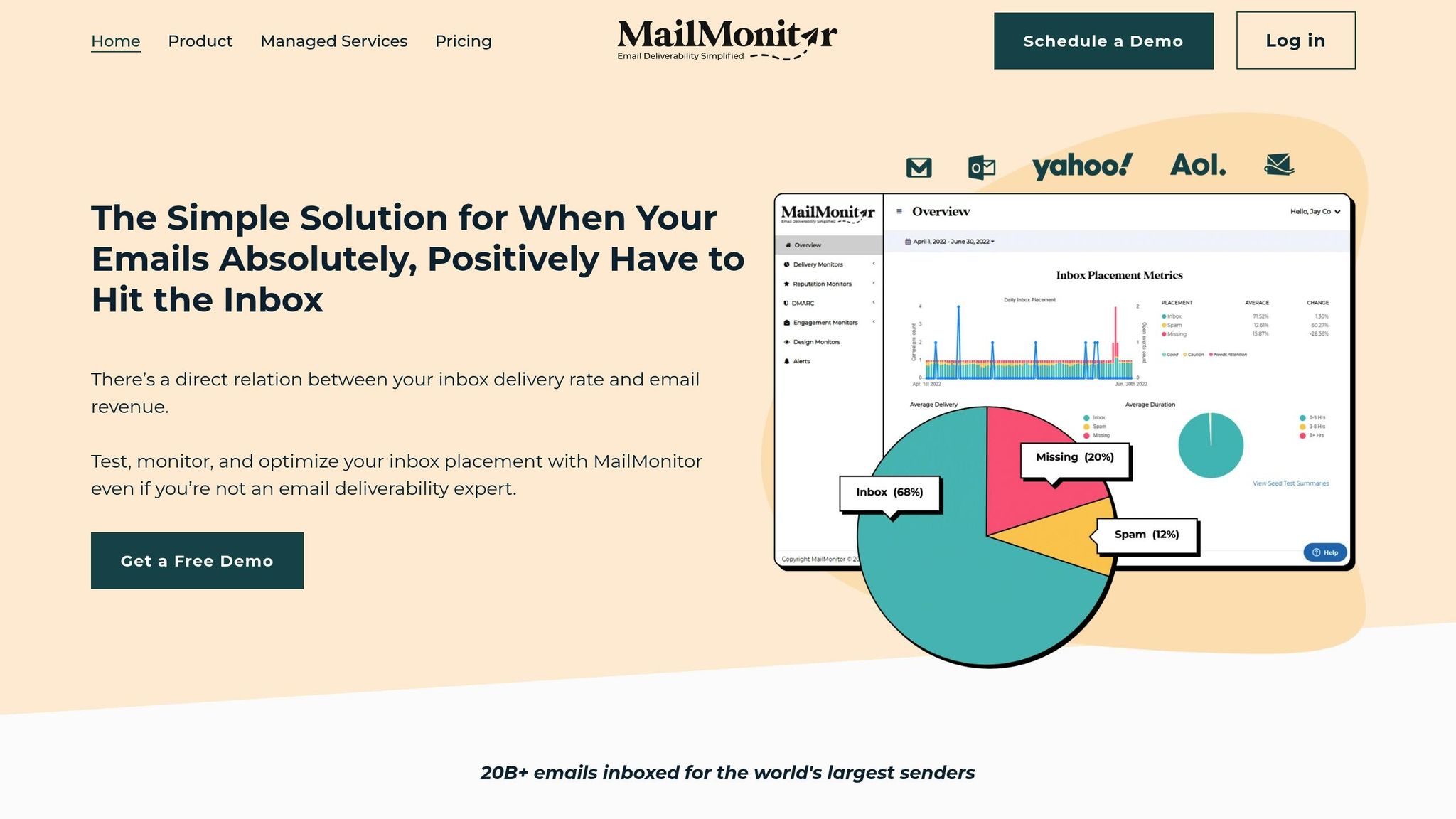
Once you’ve gathered insights from seed testing, the next step is to refine your inbox placement strategy. A platform like MailMonitor can simplify this process, making it easier to optimize your email performance. By combining solid authentication practices with MailMonitor’s tools, you can take your email deliverability to the next level.
MailMonitor is built to test, monitor, and fine-tune your email inbox placement – all without the hassle of complex setups. It operates through a global network of over 400 seed accounts across 60 B2B and B2C mailbox providers, giving you precise insights into where your emails are being delivered.
With a proven history of helping senders successfully deliver more than 20 billion emails, MailMonitor offers actionable insights to tackle deliverability challenges before they affect your campaigns.
Key Features of MailMonitor for Placement Testing
MailMonitor offers a variety of tools to help you pinpoint and resolve placement issues:
- Inbox Tab Placement: This feature shows whether your emails land in the inbox, spam, or promotional folders. It also provides spam scores based on popular filters, giving you a clear picture of how your emails are being evaluated.
- ISP Trends: This tool highlights inbox placement rates, delivery times, and authentication statuses for each mailbox provider. It helps you focus on providers where issues are most common, saving you time and effort.
- Smart Suggestions: MailMonitor analyzes delivery data and offers targeted recommendations to improve placement rates, eliminating the guesswork.
- Reputation Management: The platform monitors blocklists and provides contact information for delisting when necessary. It also includes Spam Trap Detection to identify and remove problematic addresses from your lists.
- Email Infrastructure Monitoring: This feature keeps an eye on DNS settings, DMARC status, and pre-send spam scores, ensuring your infrastructure is in top shape.
Each of these tools not only identifies placement challenges but also provides clear, actionable steps to address them.
Interpreting and Acting on MailMonitor Reports
MailMonitor’s reports turn raw data into easy-to-understand insights, helping you take the right steps to improve your email performance. After running a placement test, you’ll see a detailed breakdown of where your emails landed across different providers and folders.
Focus on the data specific to each ISP. For instance, if Gmail consistently places your emails in the Promotions tab but Outlook delivers them to the inbox, you can adjust your content strategy to better align with Gmail’s requirements. MailMonitor’s Gmail tab monitoring feature helps track which tab your emails land in, guiding you toward strategies that increase your chances of reaching the Primary tab.
The platform also detects anomalies in deliverability performance, flagging sudden changes so you can address issues quickly. When MailMonitor suggests fixes – like improving your authentication setup, cleaning your email list, or tweaking your content – implement these changes one at a time to measure their effectiveness.
Managed Services for Enterprise Users
For large organizations or teams that prefer expert assistance, MailMonitor offers managed services to handle deliverability challenges. These services include blocklist removal, where MailMonitor’s team takes care of the process of delisting your domains and IPs.
Additionally, MailMonitor provides ongoing consulting to help you build long-term deliverability strategies. This includes support with DMARC implementation, IP warm-up processes, and ESP migration planning.
"MailMonitor provides a cost effective option to conduct email seed testing for the clients I provide deliverability services to…MailMonitor provides the most bang for your buck!" – Sam M., Owner
Enterprise users also gain access to list optimization services, which help identify and remove harmful addresses that could damage your sender reputation. The managed services team can set up monitoring and alert systems to catch potential issues early, ensuring your campaigns stay on track.
For high-volume senders, MailMonitor’s deliverability experts provide tailored guidance to navigate the complexities of different ISPs. This hands-on support is especially valuable when delivery issues could directly impact your bottom line.
sbb-itb-eece389
Monitoring and Improving Inbox Placement Over Time
Using insights from seed testing and MailMonitor reports, consistent monitoring is key to maintaining strong inbox performance. As algorithms, policies, and user behaviors shift, staying proactive ensures your emails continue to reach their intended audience.
The data speaks for itself: global inbox placement rates average around 85%, but there’s significant variation across providers. Even more telling, 78.5% of survey respondents rated deliverability as highly important – an 8 out of 10 or higher. Yet, nearly 88% of senders couldn’t correctly define what the email delivery rate metric measures. This disconnect underscores the need for ongoing oversight.
And here’s another challenge: email lists naturally lose about 22.5% of their contacts each year as people change jobs or companies.
Setting Up Monitoring Tools and Alerts
A solid monitoring system starts with focusing on the right metrics. Keep an eye on delivery rate, bounce rate, spam complaints, and engagement metrics. Aim to maintain spam complaint rates below 0.1% and bounce rates under 2% – anything higher could trigger penalties from Internet Service Providers (ISPs).
MailMonitor’s alert system can help you catch issues early. Set custom alerts for critical thresholds, like bounce rates exceeding 2% or complaint rates climbing above 0.1%.
"Everyone’s goal is obviously 100%. What we focus on is our inbox placement. We want 100% of our emails getting to the inbox, and if it drops below 90%, we’re going to immediately investigate what’s going on. Deliverability is a measure of the health of your email marketing program, so it’s important to do regular check-ups on your domain, IP, and authentication in particular to make sure you’re up-to-date, just like how we all go to the doctor each year." – Carin Slater, Manager of Lifecycle Email Marketing at Litmus
Begin by adding your seed address to your Email Service Provider’s subscriber list. From there, select the domain you want to monitor and activate Sender Authentication monitoring to track your protocols. Use Reputation Monitoring to regularly check your domain against blocklists. Establish baseline metrics for your email performance and set alerts for significant deviations. This proactive strategy ensures you can address deliverability issues before they escalate.
Once your monitoring tools are in place, use the insights to fine-tune your campaigns.
Adjusting Email Campaigns Based on Test Results
Testing is only half the battle – what you do with the results is what makes the difference. If MailMonitor shows emails ending up in spam or promotional tabs, dig into the data. Look for patterns specific to different ISPs and adjust your authentication records, list segmentation, or content accordingly.
The numbers are hard to ignore: a 2023 Statista study found that 45.6% of emails ended up in spam folders. This makes it crucial to regularly validate your SPF, DKIM, and DMARC records using specialized tools to prevent sudden blocks.
For example, Shopify ecommerce sellers using email deliverability services saw a 17% boost in conversion rates and a 40% drop in bounce rates compared to those who didn’t. These results come from consistent testing and adjustments – not one-time fixes.
Fine-tune your lists by segmenting more precisely. Remove subscribers who frequently mark your emails as spam, and always provide clear unsubscribe options – 70% of survey respondents said they’d file a spam complaint if they couldn’t easily opt out.
These refinements pave the way for deeper engagement analysis.
Tracking User Engagement and ISP Feedback
User engagement is the backbone of your sender reputation. ISPs prioritize user experience by analyzing metrics like open rates, reply rates, and time spent reading emails to decide whether your messages land in the inbox.
"Engagement is your lifeline to reputation as a sender. It is extremely important. If you think about what mailbox providers are doing, they want their users to get the emails they want to receive… And the way they do that is by looking at engagement." – Nick Schafer, Sr. Manager of Deliverability & Compliance, Sinch
Set up feedback loops with major ISPs to track complaint data and pinpoint which campaigns or segments are causing problems. This direct feedback allows you to address specific issues before they harm your reputation.
AI-driven spam filters are becoming more sophisticated, favoring personalized, valuable content over generic mass emails. Gmail and Yahoo, for instance, now require bulk senders to have proper SPF, DKIM, and DMARC setups.
Monitor engagement trends across different subscriber segments. Subscribers who consistently open and click your emails send positive signals to ISPs, while inactive users can hurt your reputation. Use A/B testing to refine subject lines, content, and calls to action based on engagement data.
Timing also plays a critical role. Sending emails during peak activity periods for your subscribers not only boosts engagement but also signals ISPs that your emails are relevant. Pay attention to when your audience is most active and adjust your schedule accordingly.
Consistent monitoring and adjustments are key to maintaining strong inbox placement as we move into 2025.
Key Points for Testing Inbox Placement in 2025
Ensuring your emails land in recipients’ inboxes – not their spam folders – requires a mix of technical precision, strategic testing, and constant vigilance. With 45.6% of emails ending up in spam folders in 2023, fine-tuning your approach has never been more important.
Start with strong authentication. Set up SPF, DKIM, and DMARC protocols to confirm your sender identity and guard against spoofing attacks. DMARC adoption has grown from under 43% in 2023 to nearly 54% in 2024. However, many senders still stick with the basic "p=none" policy instead of advancing to the stricter "p=reject" setting.
"The end goal is ideally a policy of p=reject. That’s what DMARC is for. Ensuring that your domain cannot be spoofed and protecting our mutual customers from abuse." – Marcel Becker, Senior Director of Product at Yahoo
Laying this technical foundation is essential before moving into testing.
Use seed testing effectively. Create well-rounded seed lists that include major ISPs, email clients, and spam filters. Test placement across all folder types – like inbox, spam, and promotional tabs – to get a clear picture of where your emails land. While seed testing offers estimates, real-user tests provide insights into actual performance. Aim for an inbox placement rate of at least 80% to ensure campaign success.
Once the basics are in place, advanced tools can take your efforts to the next level.
Take advantage of MailMonitor’s tools. MailMonitor’s inbox placement testing features allow you to track performance across various email providers. You can set up custom alerts for critical metrics and access managed services specifically designed for high-volume senders.
Keep monitoring and adapting. Email deliverability isn’t a one-and-done task – it demands consistent attention. Marketers who actively monitor their inbox placement are 22% more likely to achieve successful email campaigns. Regularly track engagement metrics, clean your email lists, and tweak your campaigns to maintain strong results. After all, email marketing delivers an impressive $36 return for every $1 spent – but only if your emails reach the inbox.
Prioritize engagement and reputation. Internet service providers (ISPs) are increasingly relying on AI-driven filters that evaluate recipient behaviors. To maintain a strong sender reputation, focus on creating valuable content and offering easy ways for users to manage their subscriptions. This reduces complaints and boosts engagement.
With stricter authentication protocols, evolving privacy regulations, and smarter spam filters, the email landscape is becoming more challenging. Staying ahead means being proactive, testing regularly, and adapting to changes as they happen. Consistent effort and smart adjustments are the keys to inbox success.
FAQs
How can I set up email authentication to prevent spoofing and improve deliverability in 2025?
To safeguard your emails from spoofing and improve their chances of landing in inboxes in 2025, ensure your email authentication setup includes SPF, DKIM, and DMARC protocols. Here’s a quick rundown of what each does:
- SPF (Sender Policy Framework): Defines which mail servers are allowed to send emails on behalf of your domain.
- DKIM (DomainKeys Identified Mail): Adds a digital signature to verify that your email hasn’t been tampered with during transit.
- DMARC (Domain-based Message Authentication, Reporting, and Conformance): Helps enforce policies like
p=rejectto block unauthorized emails and provides valuable reporting to monitor email activity.
Make it a habit to regularly review and update your SPF, DKIM, and DMARC records, especially when there are changes in your email infrastructure. Use DMARC reports to spot and fix issues before they escalate. Staying in sync with ISP requirements will not only protect your domain but also boost your email deliverability.
By keeping your authentication protocols up to date and actively monitoring them, you’ll ensure that your emails consistently reach the right inboxes while keeping spoofers at bay.
What engagement metrics should I track to boost email deliverability and avoid spam filters?
To ensure your emails consistently land in inboxes and avoid being marked as spam, pay close attention to key engagement metrics:
- Bounce rate: Keep this number low by regularly cleaning and updating your email list to remove invalid or inactive addresses.
- Spam complaint rate: Actively monitor complaints and take steps to address them, ensuring your emails remain relevant and welcomed by recipients.
- Engagement rate: Track metrics like opens and clicks to understand how recipients are interacting with your content.
- Delivery rate: Follow authentication protocols and meet ISP requirements to maintain a high delivery rate.
Focusing on these metrics helps you understand your audience better, fine-tune your email strategies, and protect your sender reputation.
How can seed testing with tools like MailMonitor improve email deliverability across different ISPs?
Seed Testing with Tools Like MailMonitor
Using tools like MailMonitor for seed testing allows marketers to see how their emails are handled by different ISPs before rolling out a campaign. By sending test emails to a predefined list of seed addresses, you can track whether your messages land in the inbox, get flagged as spam, or are blocked entirely.
This approach gives you clear insights into potential problems, such as filtering issues, authentication errors, or content-related triggers. Addressing these challenges early helps safeguard your sender reputation, boost deliverability rates, and ensure your emails successfully reach their audience.

