

When you send emails from a new or inactive IP address, Internet Service Providers (ISPs) like Gmail or Yahoo often treat it with caution. Without a proper warm-up, your emails risk landing in spam folders or being blocked entirely. IP warm-up is the process of gradually increasing email volume to build trust with ISPs and improve sender reputation. Skipping this step can lead to immediate deliverability issues, long-term damage to your IP, and poor engagement rates.
Here’s why IP warm-up is essential:
- Trust Building: Gradual increases in email volume show ISPs your sending behavior is legitimate.
- Better Deliverability: Proper warm-up reduces the chances of emails getting flagged as spam.
- Protects Reputation: Avoids blacklisting and ensures strong sender credibility over time.
Key steps for IP warm-up:
- Send small batches of emails (500–1,000/day) and double volumes every few days if engagement remains strong.
- Start with your most engaged recipients to boost open and click rates.
- Monitor critical metrics like open rates (>40%) and complaint rates (<0.1%) to adjust your strategy as needed.
Skipping this process can cause emails to bounce, land in spam, or harm your reputation, making future campaigns difficult to recover. Tools like MailMonitor help track performance, identify issues, and ensure a smooth warm-up process.
Bottom line: A proper IP warm-up is essential for successful email campaigns. Without it, your emails may never reach your audience.
A Beginner’s Guide to IP Warmup: What It Is and Why It’s Important for Your Email Marketing Success
Problems with Skipping IP Warm-Up
Launching email campaigns without properly warming up your IP address can lead to immediate deliverability problems and long-term damage to your sender reputation. These issues can take months to fix and may even force you to start over with a new IP.
Immediate Problems from Skipping Warm-Up
When you send large volumes of emails from a cold IP, it instantly raises red flags for ISPs. They often block or filter these emails within minutes, treating the sudden activity as suspicious behavior[3]. Without a positive sending history, ISPs assume the worst – potential spam activity. This results in emails being blocked, sent to spam folders, or outright rejected[2][8].
The impact on campaign performance is severe. Inbox placement rates can plummet to as low as 0–29% for IPs without a proper warm-up history[3]. ISPs may also throttle email delivery, delaying messages and disrupting time-sensitive campaigns. These setbacks can derail your marketing efforts and render even the most well-crafted campaigns ineffective.
"What good is a great email campaign if no one ever sees it? You can’t sell what people can’t see. But that’s exactly what happens when emails land in spam. Your engagement drops and conversions collapse."
- MailMonitor
These initial failures can create a ripple effect, undermining the success of future campaigns.
Long-Term Damage to Sender Reputation
Skipping the warm-up process doesn’t just cause immediate issues – it can permanently harm your sender reputation. Once an IP is flagged or blacklisted, rebuilding trust with ISPs becomes a long and difficult process[3]. In some cases, the damage is so severe that businesses are forced to abandon the compromised IP and start from scratch.
Blacklisting is the most serious consequence. Major blocklists automatically reject emails from flagged IPs, preventing them from even reaching spam folders. Recovering from this requires extensive efforts, including cleaning your list, gradually warming up a new IP, and managing your reputation[3][8].
Your sender score, which functions like a credit rating for your email activity, also takes a major hit. ISPs evaluate factors like sending patterns, engagement rates, and complaint levels to assign these scores. A poor sender score makes it much harder for future campaigns to succeed, as ISPs become less likely to trust your emails.
Poor Engagement Metrics
Skipping IP warm-up doesn’t just hurt deliverability – it also damages critical engagement metrics over time. High bounce rates, low open rates, and increased spam complaints are common outcomes when warm-up is skipped[3][4]. Open rates often drop below 10% when emails are filtered to spam, and click-through rates can become almost nonexistent[3][8].
ISPs heavily rely on engagement history to determine whether emails should land in inboxes or spam folders[5][6][7]. Without positive engagement from the start, it becomes nearly impossible to build trust with email providers. Each poorly performing campaign only deepens the problem, making future efforts even harder.
"Worse yet, it lumps you with the Nigerian Princes out there. Not really the company you want to keep."
- MailMonitor
Spam complaints often spike when recipients, annoyed by irrelevant or unwanted emails, mark them as spam. These complaints further damage your reputation, reinforcing the perception of your brand as untrustworthy. In the end, poor engagement results in lost revenue, as emails that go unseen fail to drive conversions, whether it’s sales, sign-ups, or other goals.
How to Execute an IP Warm-Up
Warming up your IP is a gradual process that helps build trust with Internet Service Providers (ISPs). It typically takes 4–6 weeks and requires careful planning, technical setup, and controlled email volume increases.
Before sending your first email, double-check all technical configurations. Make sure SPF, DKIM, DMARC, domain health, and DNS records are correctly set up. Use a deliverability tool to verify these settings. Only move forward once everything checks out. With the technical groundwork in place, you can shift your focus to scaling email volumes strategically.
Gradual Volume Increases
The key to a successful IP warm-up is to slowly increase your email volume over time. Jumping into high volumes too quickly can lead to ISPs throttling or blocking your emails. A steady, measured approach gives ISPs the chance to observe your sending habits and engagement rates, which helps establish trust in your IP over time.
Start small – send around 500–1,000 emails per day per ISP. If engagement remains strong and complaint rates stay low, double the volume every few days. For instance, you might send 1,000 emails on day one, 2,000 on day three, 4,000 on day five, and so on. However, if you notice a drop in engagement or a rise in complaints, pause and reevaluate your approach.
Consistency is critical during this phase. ISPs often impose sending limits on new IPs, which they gradually increase as your reputation improves. Stick to these limits and avoid pushing higher volumes prematurely. Once your volume growth stabilizes, shift your attention to recipient engagement.
Start with Highly Engaged Recipients
When increasing your email volume, prioritize sending to recipients who are most likely to engage with your messages. These highly engaged users – those who frequently open, click, or interact with your emails – send a clear signal to ISPs that your emails are wanted and trustworthy. This helps build a strong sender reputation and minimizes the risk of spam complaints or bounces.
To identify your most engaged recipients, review recent activity, such as opens, clicks, or purchases made in the last 30–60 days. Internal company addresses and loyal customers are great starting points. Segment your email list based on engagement levels, starting with your most active subscribers. As your reputation strengthens, you can gradually expand to less engaged segments. This approach ensures high open rates and low complaint rates, two metrics ISPs use to assess your sender credibility.
Monitor Key Metrics During Warm-Up
Throughout the warm-up process, closely monitor your email performance metrics. Keep an eye on open rates, click-through rates, bounce rates, spam complaint rates, delivery rates, and unsubscribe rates. These metrics provide real-time insights into your sender reputation and email deliverability.
If spam complaints exceed 0.1% or open rates drop below 40%, pause your volume increases immediately. Investigate any sudden spikes in hard bounces and clean your email list if needed. Tools like MailMonitor offer real-time dashboards, seed testing, and actionable insights that help you identify issues early, maintain compliance, and make adjustments to improve inbox placement and reputation.
Should engagement metrics decline or spam complaints rise, stop increasing your email volume. Reassess your email content, authentication settings, and list quality. Remove inactive or unresponsive recipients and address any technical problems before resuming the warm-up. Taking these steps ensures a smoother process and protects your sender reputation.
sbb-itb-eece389
Best Practices for IP Warm-Up and Deliverability
To ensure your IP warm-up process yields long-term success, it’s critical to go beyond basic execution strategies and focus on three essential areas: email authentication, monitoring tools, and data-driven adjustments. By mastering these fundamentals, you can protect your sender reputation and avoid deliverability issues. Let’s start by diving into the importance of robust email authentication protocols.
Set Up Email Authentication Protocols
Email authentication is the foundation of a successful IP warm-up. Protocols like SPF (Sender Policy Framework), DKIM (DomainKeys Identified Mail), and DMARC (Domain-based Message Authentication, Reporting, and Conformance) work together to verify that your emails are legitimate and secure throughout the delivery process.
- SPF: This protocol allows you to specify which servers can send emails on behalf of your domain. During the initial 30 days of warm-up, use the ~all tag (soft fail) for flexibility instead of the stricter -all (hard fail). Also, keep SPF lookups to ten or fewer to avoid technical issues that could harm deliverability.
- DKIM: This adds a digital signature to your emails using 2,048-bit encryption keys. To maintain security, update your keys periodically and assign unique selectors for different email streams. This ensures that any issues with one stream won’t damage your overall reputation.
- DMARC: Building on SPF and DKIM, DMARC establishes a policy for handling authentication failures and provides valuable reporting data on your email performance. It’s particularly crucial when building trust with ISPs for a new IP address.
Gmail’s AI blocks over 15 billion spam, phishing, and malware emails daily and can detect unusual sending patterns within minutes[3].
Before you start sending emails, conduct a technical audit using a deliverability tool. Check your domain’s health by verifying its age (domains under 30 days are more likely to be filtered), running blacklist checks, and ensuring DNS records like MX, A, and PTR are properly configured. Additionally, apply SSL certificates to all sending subdomains and align domain names with your brand to reinforce credibility.
Use Deliverability Monitoring Tools
Once your authentication protocols are in place, deliverability monitoring tools become essential for transforming the warm-up process into a data-driven strategy. These tools provide insights into sender reputation, inbox placement, and engagement metrics, allowing you to fine-tune your approach.
Key features to look for include:
- Real-time dashboards: Track daily metrics to stay informed about your performance.
- Inbox placement testing: Understand where your emails are landing – whether it’s the inbox, spam folder, or promotions tab – across various ISPs.
- Seed testing: Identify potential issues before they impact your entire email list.
- Reputation monitoring: Keep tabs on your IP and domain standing with major ISPs like Gmail, Yahoo, and Hotmail.
Some tools, like MailMonitor, offer advanced features like seed testing and automated throttling based on real-time performance. These capabilities can help achieve high inbox placement rates within a set timeframe.
According to Validity’s 2023 Email Deliverability Benchmark Report, one in six permission-based marketing emails fails to reach the inbox due to poor IP warm-up practices[3].
The data from these tools enables you to make informed decisions about when to increase your sending volume, pause campaigns, or adjust your strategy based on actual performance – not guesswork.
Adjust Strategy Based on Performance Data
With monitoring tools providing actionable insights, your next step is to make data-driven adjustments. This is where successful IP warm-ups are separated from failed attempts. If you notice open rates dropping below 40% or bounce rates spiking, pause any volume increases immediately and reevaluate your email content, authentication setup, and list quality. Removing inactive addresses that could be flagged as spam traps is a must.
If engagement falls short of expectations, extend your warm-up timeline instead of rushing the process. For instance, if 30 days isn’t enough, stretch it to 60 days. Patience is key to avoiding reputation damage.
Timing matters too. Avoid increasing volume during holidays when engagement patterns can be unpredictable, and ISPs tend to scrutinize new senders more closely. These periods often lead to unusual user behaviors that can distort your metrics and trigger unnecessary filtering.
Additionally, maintain a consistent sending cadence by spreading emails throughout the day or across several days, rather than sending them all at once. This prevents IP cooldown, which happens when sending activity stops or drops significantly for a few days.
The bottom line? Reputation recovery takes time. Rushing through the process or ignoring red flags can result in your domain or IP being blocked, sending your emails straight to spam. Use real-time data to make gradual adjustments and protect the reputation you’ve worked hard to establish.
How MailMonitor Improves IP Warm-Up and Deliverability
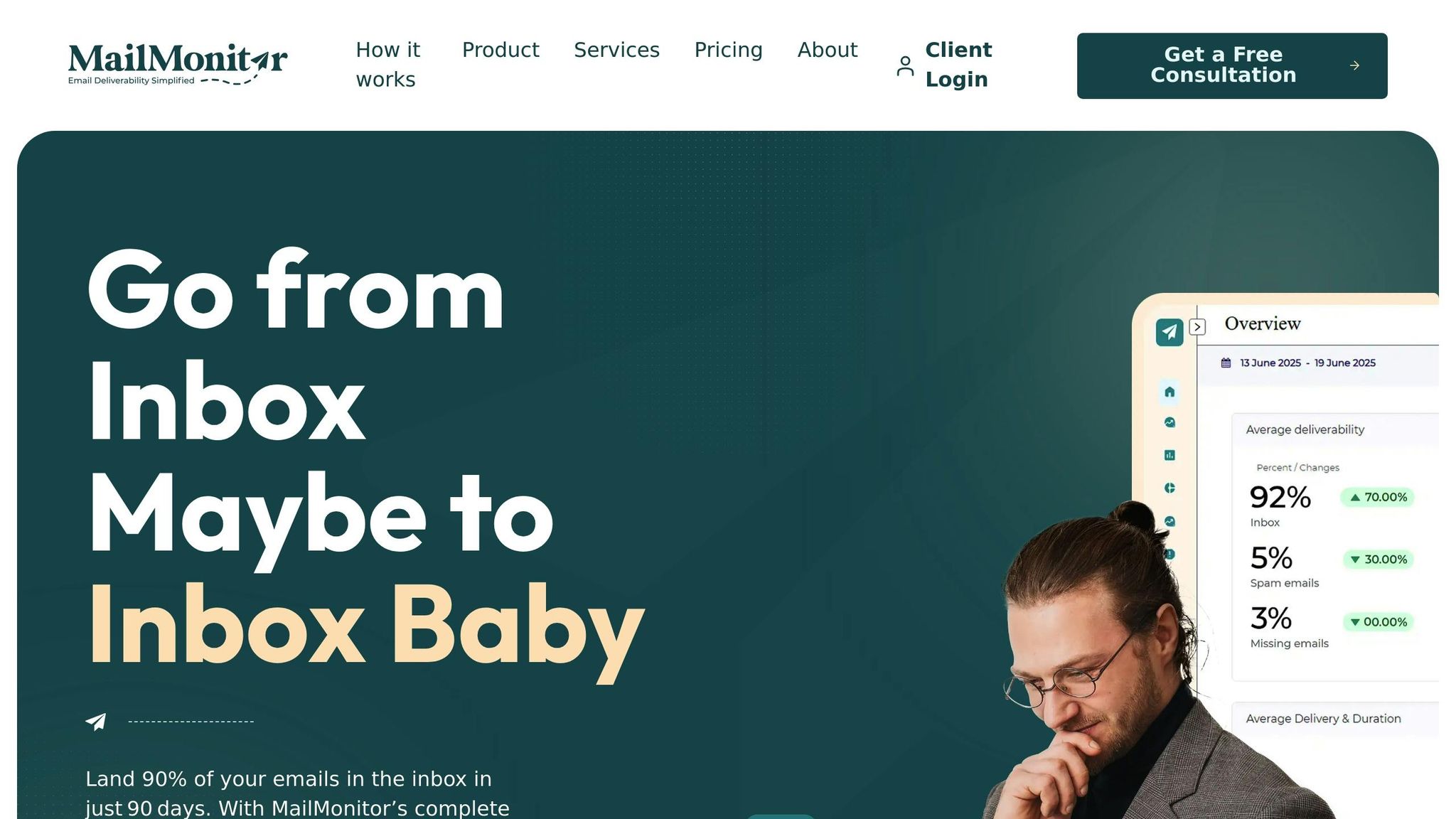
Getting your IP warm-up right requires more than just best practices and monitoring tools – it takes the right platform to ensure a smooth process. That’s where MailMonitor steps in. Designed to tackle the challenges of IP warm-up and ongoing email deliverability, it combines advanced monitoring tools with expert guidance to help you navigate the process with confidence.
MailMonitor transforms IP warm-up into a data-driven process. Instead of guessing if your emails are landing in inboxes or being flagged as spam, it provides clear insights into your email performance across major ISPs. This visibility bridges the gap between planning and execution, ensuring a more reliable warm-up experience.
Key MailMonitor Features for IP Warm-Up
MailMonitor offers tools that make a big difference during the warm-up phase:
- Seed testing: MailMonitor sends test emails to over 400 inboxes across major ISPs, offering detailed insights into inbox placement. This immediate feedback helps pinpoint issues like authentication errors, content problems, or ISP-specific filtering before they escalate.
- Real-time reputation monitoring: The platform tracks critical metrics such as delivery rates, open rates, click-through rates, bounce rates, and complaint rates daily. With this data, you can make informed decisions about when to increase volume. Plus, MailMonitor’s custom alerts notify you if complaint rates get close to the 0.1% danger zone or open rates drop below 40%, helping you avoid reputation damage.
- Inbox placement testing: By analyzing placement patterns across ISPs, MailMonitor enables you to make adjustments early, preventing poor placement from harming your sender reputation.
- Deliverability analytics: MailMonitor identifies hidden issues, like ISP throttling, that can impact your email performance. This level of detail ensures you stay ahead of potential bottlenecks.
These features not only simplify the warm-up process but also improve overall deliverability, setting you up for long-term success.
Benefits of Using MailMonitor for Deliverability Management
MailMonitor goes beyond just providing data – it pairs real-time insights with expert advice to help you navigate the nuances of ISP filtering. This guidance prevents common mistakes, such as increasing email volume too quickly or failing to adjust during high-risk periods like the holidays.
"MailMonitor helps us identify and fix our spam issues. It’s like having a deliverability expert on our team. The weekly check-in calls allow us to take feedback, implement it and then follow up the next week with additional items to clarify or get help with. This cadence helps our team get better email results." – Dan Westenskow, CEO, Fusion HCS[1]
The results speak volumes. For example, Fusion HCS achieved 90% inbox placement across 1 million contacts, while hubXchange saved $271,000 by resolving deliverability issues with MailMonitor’s help[1]. These outcomes highlight the platform’s ability to deliver real, measurable results.
MailMonitor’s approach is structured into three phases – Audit, Remediation, and Optimization – to provide comprehensive support throughout the IP warm-up process. The audit phase identifies technical issues like SPF, DKIM, and DMARC misconfigurations. The remediation phase focuses on fixing these problems, while the optimization phase ensures ongoing monitoring to maintain performance.
"MailMonitor’s software is easy enough to understand for a beginner with little knowledge of email placement. But what sets them apart is their hands-on support to maximize our deliverability. The team is always friendly and responsive, even with challenging clients like us!" – Nathan Merryfield, Director of Marketing, hubXchange[1]
MailMonitor’s Role in Building Long-Term Sender Reputation
Successfully warming up your IP is just the first step in building a strong sender reputation. MailMonitor ensures that success doesn’t stop there. Its ongoing optimization phase continuously monitors email health, catching potential threats before they can harm your campaigns. This proactive approach helps prevent the reputation decline that often happens when businesses assume their warm-up success will last indefinitely.
The platform also offers weekly check-in calls with deliverability experts, giving you access to personalized advice as your sending patterns evolve and ISP algorithms change. This human support ensures you’re never left to tackle complex deliverability challenges on your own.
MailMonitor’s commitment to achieving 90% inbox placement within 90 days underscores how seriously they take both warm-up success and sustained performance[1]. By providing ongoing monitoring and expert guidance, MailMonitor helps protect the reputation you’ve worked so hard to build, ensuring your investment in the warm-up process continues to pay off.
Conclusion: Why IP Warm-Up Matters for Email Success
IP warm-up isn’t just a technical step – it’s the backbone of effective email marketing. Failing to warm up your IP properly can mean your emails never reach your audience. It’s all about earning trust with Internet Service Providers (ISPs) to ensure your messages land in inboxes rather than being flagged as spam.
Skipping this process can lead to emails being blocked or sent straight to spam, wasting your marketing budget and harming your sender reputation for months. On the other hand, a gradual warm-up over 4–8 weeks builds the trust and credibility needed for long-term success in email deliverability.
Tracking engagement metrics during the warm-up phase is key to success. Keeping complaint rates under 0.1% and open rates above 40% sends a clear signal to ISPs that your content resonates with recipients. Positive engagement like this helps you scale up email volumes without triggering spam filters, creating a solid foundation for consistent performance and credibility.
Businesses that prioritize IP warm-up treat it as an investment in their email marketing strategy. A well-executed warm-up improves inbox placement, lowers the risk of blocklisting, and drives better engagement and ROI.
To make this process easier, advanced tools like MailMonitor offer real-time insights into inbox placement and deliverability. Instead of guessing, you can rely on actionable recommendations from experts and technology to fine-tune your strategy. This blend of data and expertise helps businesses avoid common mistakes and achieve better results, faster.
FAQs
What technical steps should you take before starting the IP warm-up process?
Before diving into the IP warm-up process, there are a few essential technical steps you need to take to ensure everything runs smoothly. Start by setting up SPF, DKIM, and DMARC records for your domain. These authentication protocols are key to verifying your emails and building credibility with mailbox providers.
Next, double-check that your sending infrastructure is in good shape. This includes ensuring your IP address and domain are properly configured and free from any history of negative reputation that could harm your efforts.
Finally, make sure your email list is clean. It should only include valid and engaged recipients to minimize the risk of bounces or spam complaints during the warm-up phase.
By addressing these areas upfront, you’ll create a solid foundation for improving your sender reputation and increasing your chances of landing in the inbox.
How can businesses identify and focus on their most engaged recipients during the IP warm-up process?
To make the most of your IP warm-up process, focus on identifying and prioritizing your most engaged recipients. Start by diving into your email engagement metrics. Pinpoint those recipients who regularly open your emails, click links, or otherwise interact with your content. These individuals are your most active and responsive audience.
After identifying these engaged users, create a dedicated list specifically for them. During the warm-up phase, begin by sending emails to this group, gradually increasing the volume over time. This method helps you build a solid sender reputation with Internet Service Providers (ISPs), which can lead to better email deliverability and improved inbox placement.
How does email authentication support the IP warm-up process, and why is it crucial for deliverability?
Email authentication is a key part of the IP warm-up process, as it confirms that your emails come from a trusted source. Using protocols like SPF, DKIM, and DMARC helps prove your identity as a legitimate sender, which is essential for building a positive sender reputation.
Without these authentication measures, email providers might mark your messages as suspicious, making it harder for them to land in inboxes. Setting up authentication early in the IP warm-up process can boost your inbox placement rates and ensure your messages are seen as reliable by both recipients and email providers.

